Terraform Cloud Alternatives for Multi-Cloud Enterprises [2026]
StackGuardian is the only platform in this list that starts before Terraform code exists. We compare 5 other Terraform Cloud alternatives
StackGuardian is the only platform in this list that starts before Terraform code exists. We compare 5 other Terraform Cloud alternatives
Terraform Cloud centralizes terraform plan and terraform apply execution, stores remote state with locking, and lets reviewers see plan output before infrastructure changes land in production. For a team with complete Terraform coverage and predictable workloads, that scope is enough.
The scope breaks down as infrastructure grows. A platform engineering team managing 400 Terraform workspaces across AWS, Azure, and GCP typically runs multiple IaC tools: Terraform for foundational infrastructure, Pulumi or CDK for application-layer resources, and Helm for Kubernetes workloads. Terraform Cloud does not see any non-Terraform deployments. Sentinel policies don't evaluate CloudFormation stacks or Pulumi programs. Resources created with those tools accumulate outside Terraform state, policy scope, and drift detection.
Add the Terraform licensing change: HashiCorp moved to the Business Source License in 2023, prompting many teams to adopt OpenTofu and further widening the market for alternatives.
This guide covers six platforms that address these gaps in different ways. Each solves a specific part of the problem. Identifying the problem your team actually has determines which platform fits best.
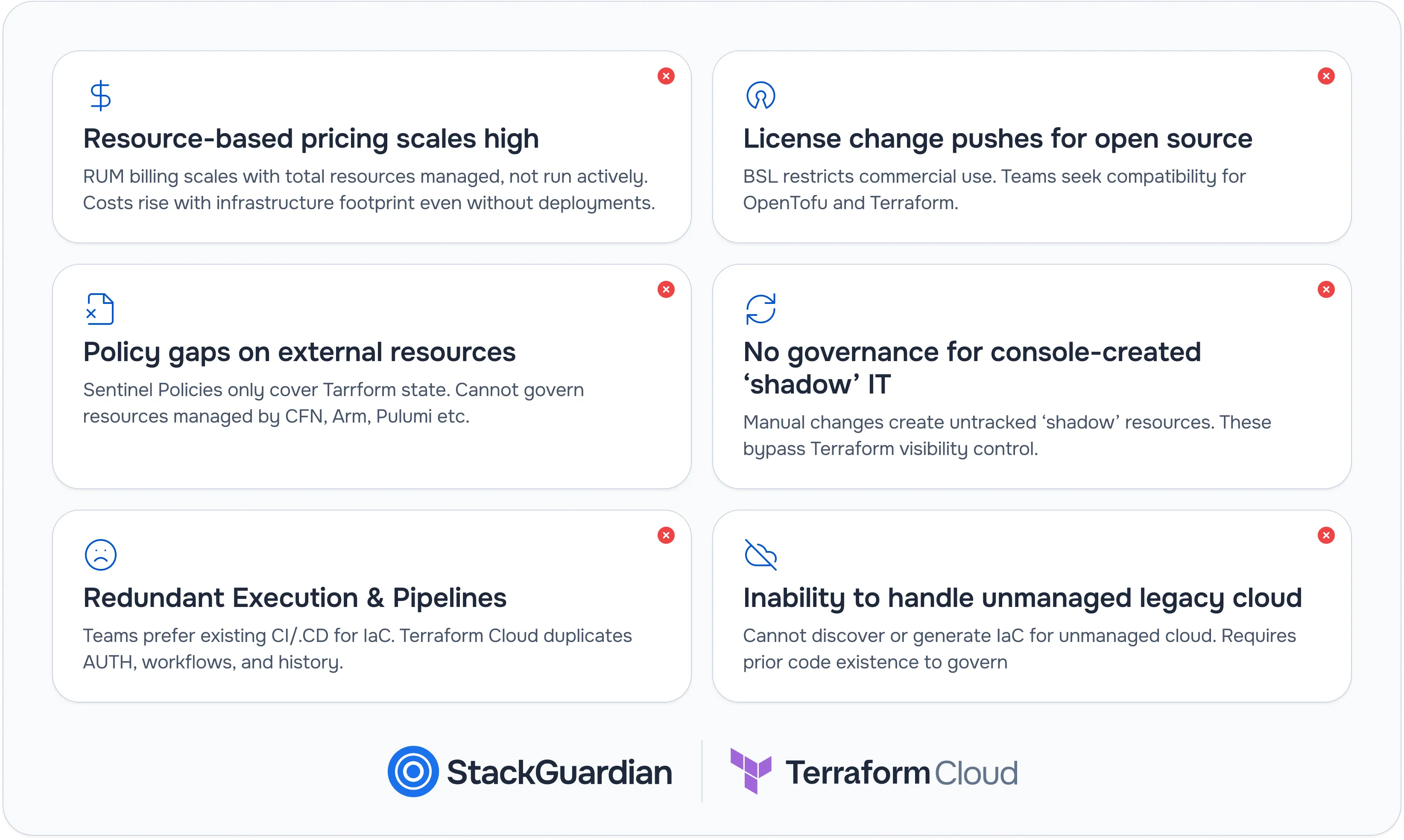
Terraform Cloud's Resources Under Management pricing is based on the number of cloud resources in the Terraform state, not on how many runs execute or how many users interact with the platform. A team that provisions 10,000 EC2 instances, RDS clusters, and S3 buckets pays for 10,000 managed resources during months with no deployments. As the infrastructure footprint grows, costs rise with it, regardless of how much the platform is actually used.
HashiCorp moved Terraform from the Mozilla Public License to the Business Source License in August 2023. The BSL restricts commercial use in ways the MPL did not, which has pushed engineering organizations evaluating long-term IaC strategy to choose between staying on Terraform, migrating to OpenTofu, or running both in parallel. Terraform Cloud has no native OpenTofu support. Teams adopting OpenTofu need a platform that runs both runtimes without maintaining separate execution pipelines for each.
Terraform Cloud's policy engine, Sentinel, evaluates plans produced by terraform plan. A CloudFormation stack deployed through a separate pipeline, an ARM template deployed through Azure DevOps, or a Pulumi program managing application-layer infrastructure all produce resources that exist in the cloud but not in Terraform state. Sentinel never sees them. Security and compliance requirements that apply to the full cloud environment cannot be enforced through Terraform Cloud alone; they can only be enforced for the subset of resources Terraform manages.
An engineer provisions an RDS instance through the AWS Console to diagnose a production incident. A database administrator creates an IAM policy through the Azure portal because the Terraform PR review cycle takes 48 hours. A security team modifies a security group directly to respond to an active threat. Each of these resources now exists in the cloud account without a corresponding .tf file, a state entry, or policy coverage. Over months, these manual changes accumulate into a shadow infrastructure layer that Terraform Cloud has no mechanism to detect, report on, or govern.
An engineering organization that deploys application code via GitHub Actions already has runners, OIDC authentication with AWS and Azure, approval gates via GitHub Environments, and reviewer workflows via pull requests. Adding Terraform Cloud introduces a second system with its own authentication model, workspace configuration, and run history, separate from the pipeline history that every engineer already checks. Running terraform plan and terraform apply as workflow steps inside the existing pipeline removes that duplication.
Most enterprise cloud environments didn't start with Terraform. They started with manual provisioning, CloudFormation templates written in 2017, ARM templates nobody actively maintains, and a handful of Terraform modules that cover 30% of deployed resources. Before any platform can govern these resources, they need to exist as Terraform code with corresponding state. Terraform Cloud provides no mechanism to discover unmanaged resources or generate IaC from them; it requires Terraform code to already exist as the starting point.
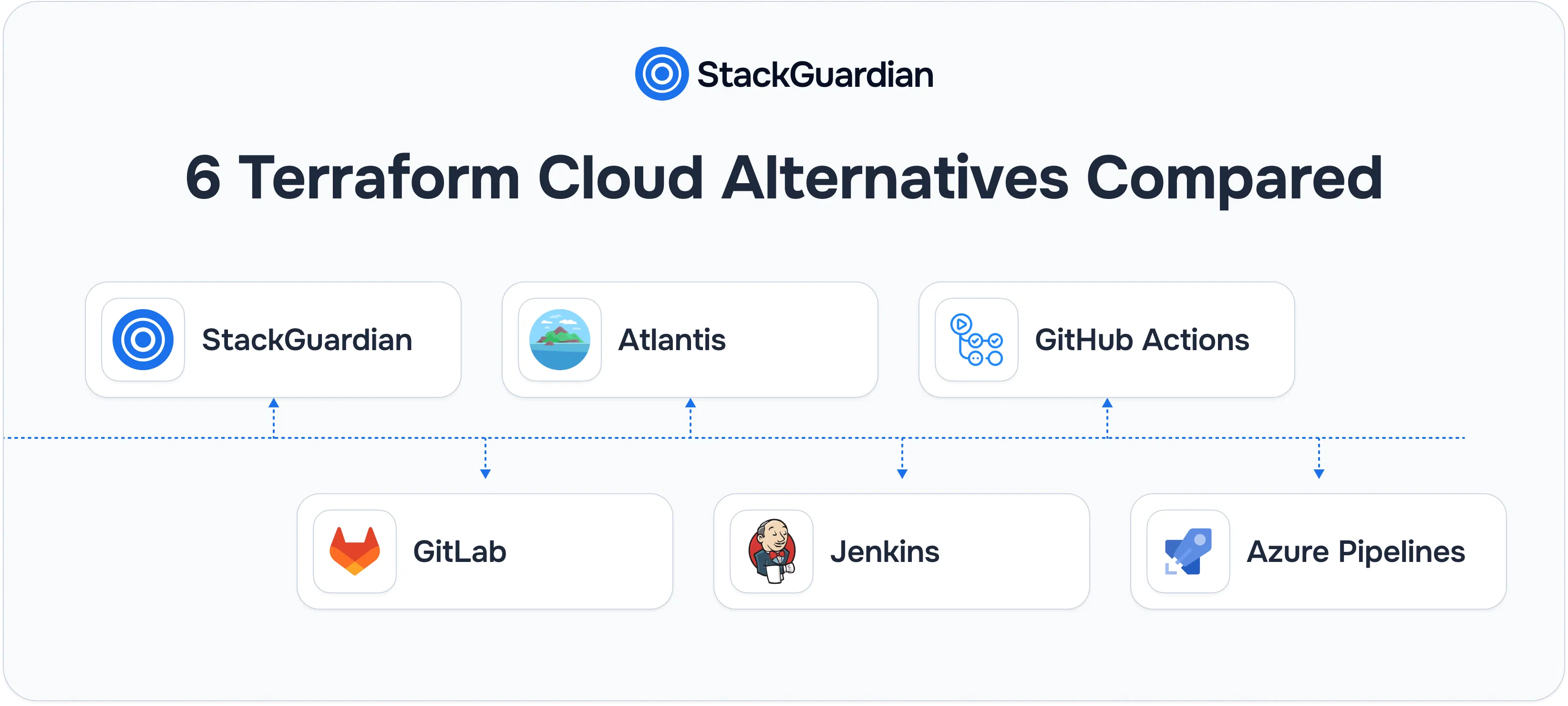
Not every Terraform Cloud alternative solves the same problem. Choosing the wrong category before evaluating features wastes the evaluation.
Example: StackGuardian
These platforms manage the full IaC lifecycle: cloud discovery, IaC generation, workflow orchestration, policy enforcement, and self-service provisioning. They start before Terraform code exists and continue through ongoing governance after deployment. The right fit for teams with significant unmanaged cloud infrastructure or platform engineering requirements.
Example: Atlantis
These platforms execute terraform plan and terraform apply from pull requests. A developer opens a PR; the platform posts the plan as a comment; a reviewer approves; and the platform applies it after merge. Narrow scope, low operational overhead. The right fit for teams with complete Terraform coverage that want PR-driven automation without managing a wider platform.
Examples: GitHub Actions, GitLab CI/CD, Jenkins, Azure DevOps Pipelines
These are general-purpose automation platforms that run Terraform as pipeline stages alongside application deployments. State management, policy enforcement, drift detection, and approval gates are pipeline steps that the team builds and maintains. The right fit for teams standardized on a CI/CD platform that want Terraform to follow the same deployment process as application code.

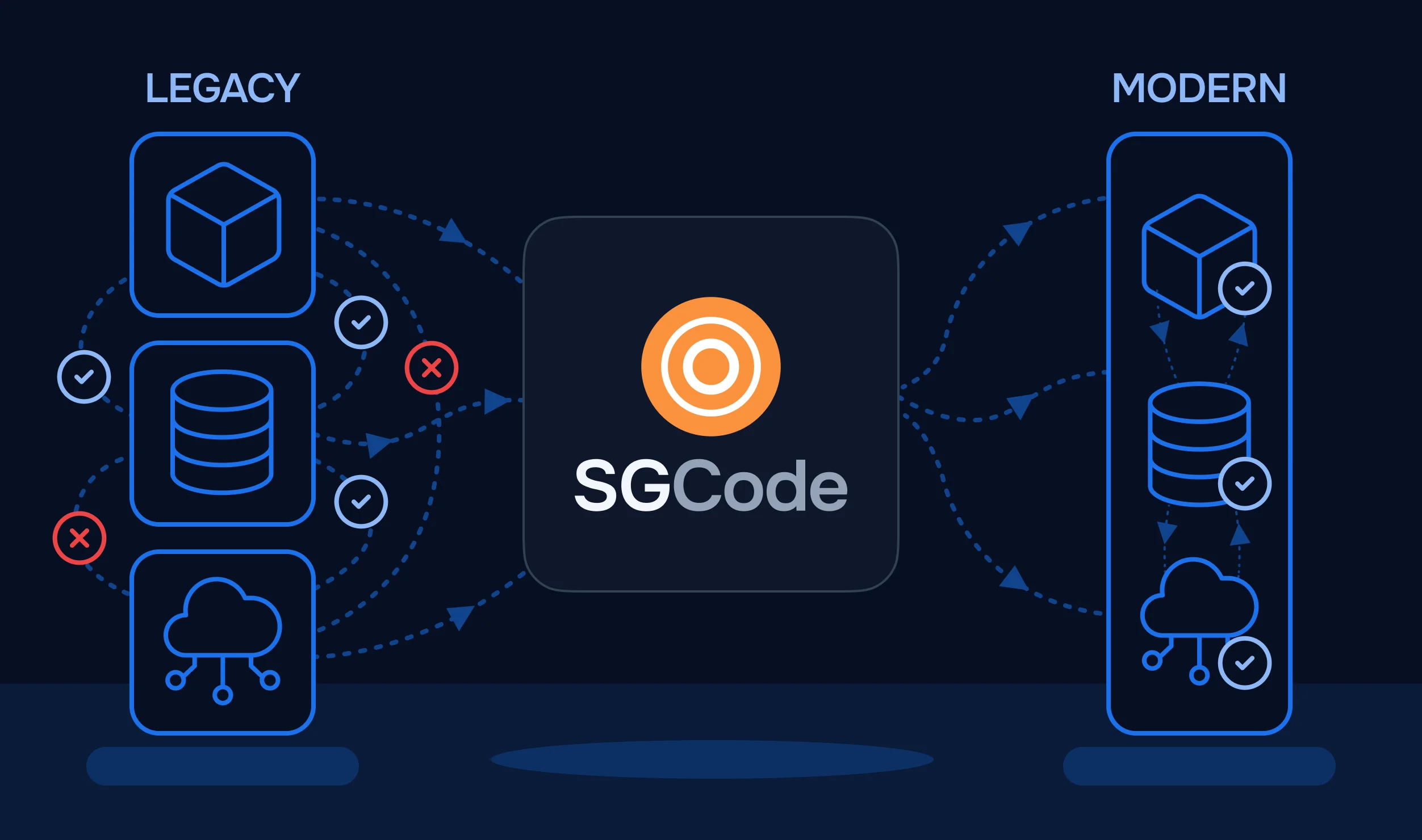
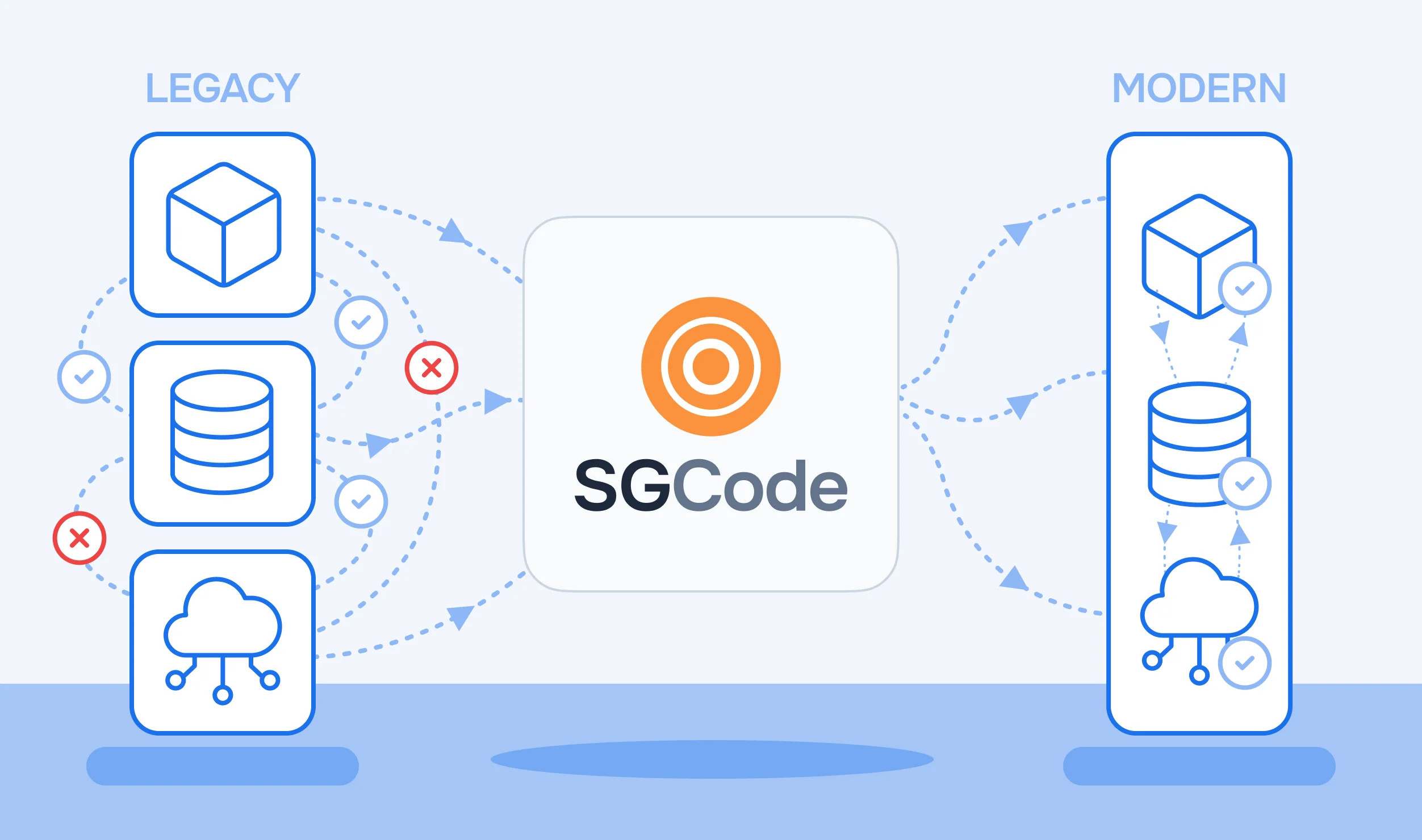
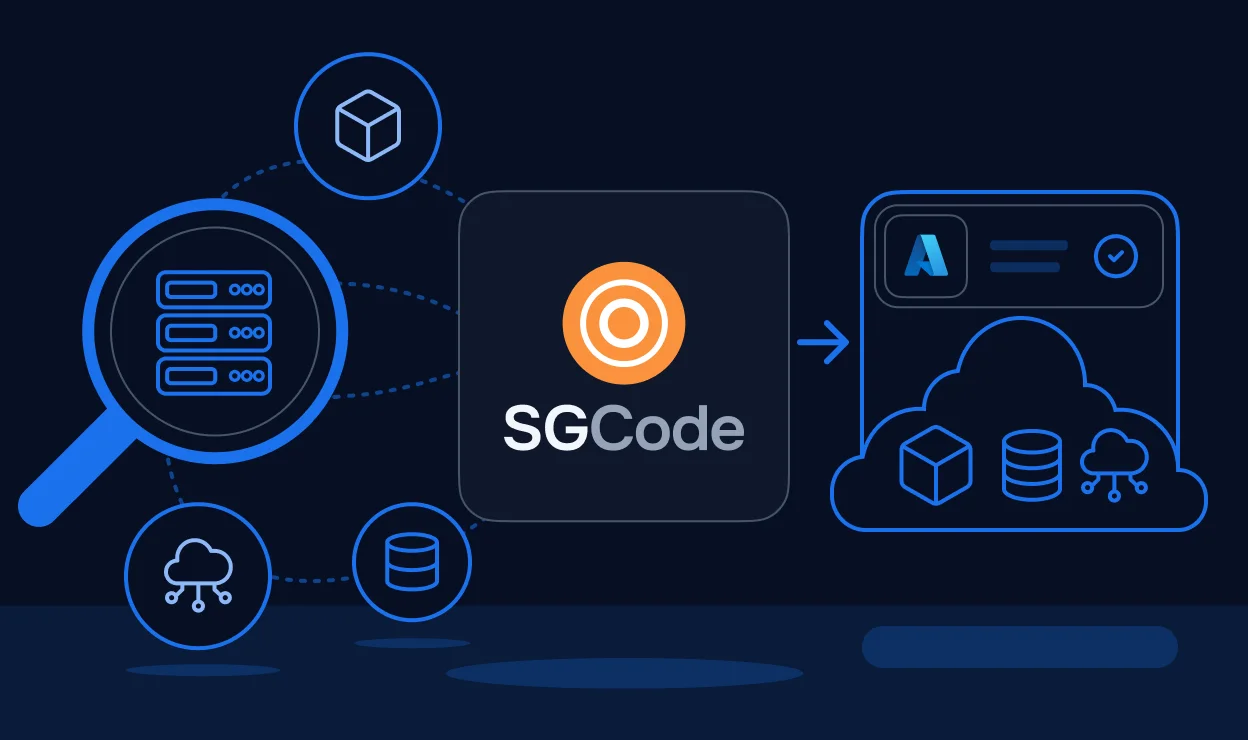
StackGuardian is an infrastructure lifecycle platform built around two components: SGCode, which handles cloud discovery, IaC generation, and coverage tracking; and SGOrchestrator, which manages workflow execution, policy enforcement, approval gates, and developer self-service. Unlike Terraform Cloud, which requires Terraform code to already exist, StackGuardian starts with the live cloud environment and works backward, scanning accounts, classifying resources by IaC status, generating Terraform or OpenTofu from unmanaged infrastructure, and building coverage before any deployment workflow runs.
Step 1: Connect state backends and discover resources
A platform engineer opens the State Backends tab in SGCode (SGCode → State Backends) and connects the team's S3 buckets. SGCode reads connected state backends and builds a map of already-managed resources against discovered cloud resources.
Here is how the State Backend tab looks after connecting eight AWS backends:
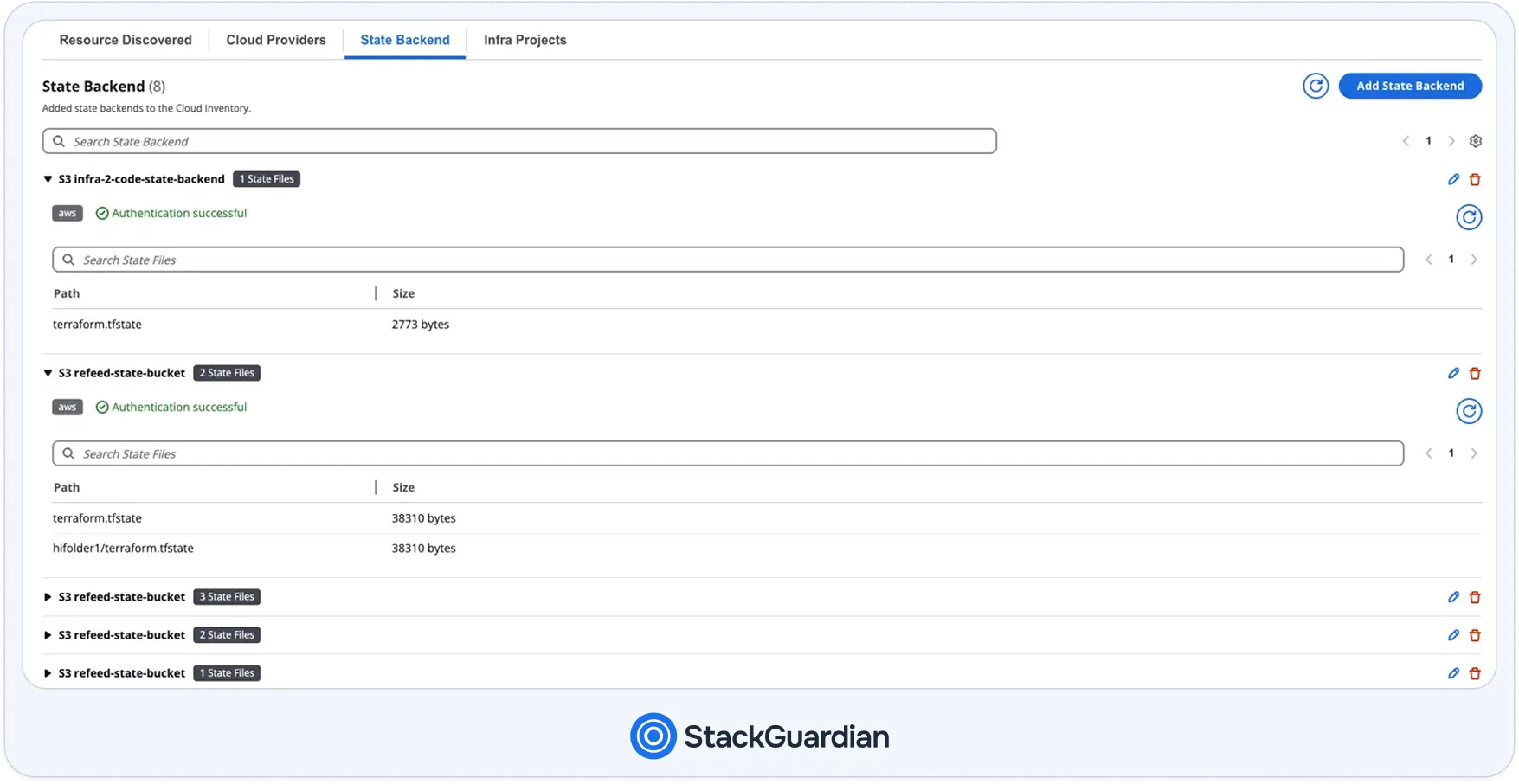
Notice the Authentication successful badge per backend and the nested state file paths, hifolder1/terraform.tfstate alongside root-level terraform.tfstate, confirming SGCode is reading state across multiple workspaces. With the state loaded, SGCode scans the linked cloud accounts and classifies every discovered resource as managed, unmanaged, or drifted against those state files.
Step 2: Generate IaC and build templates
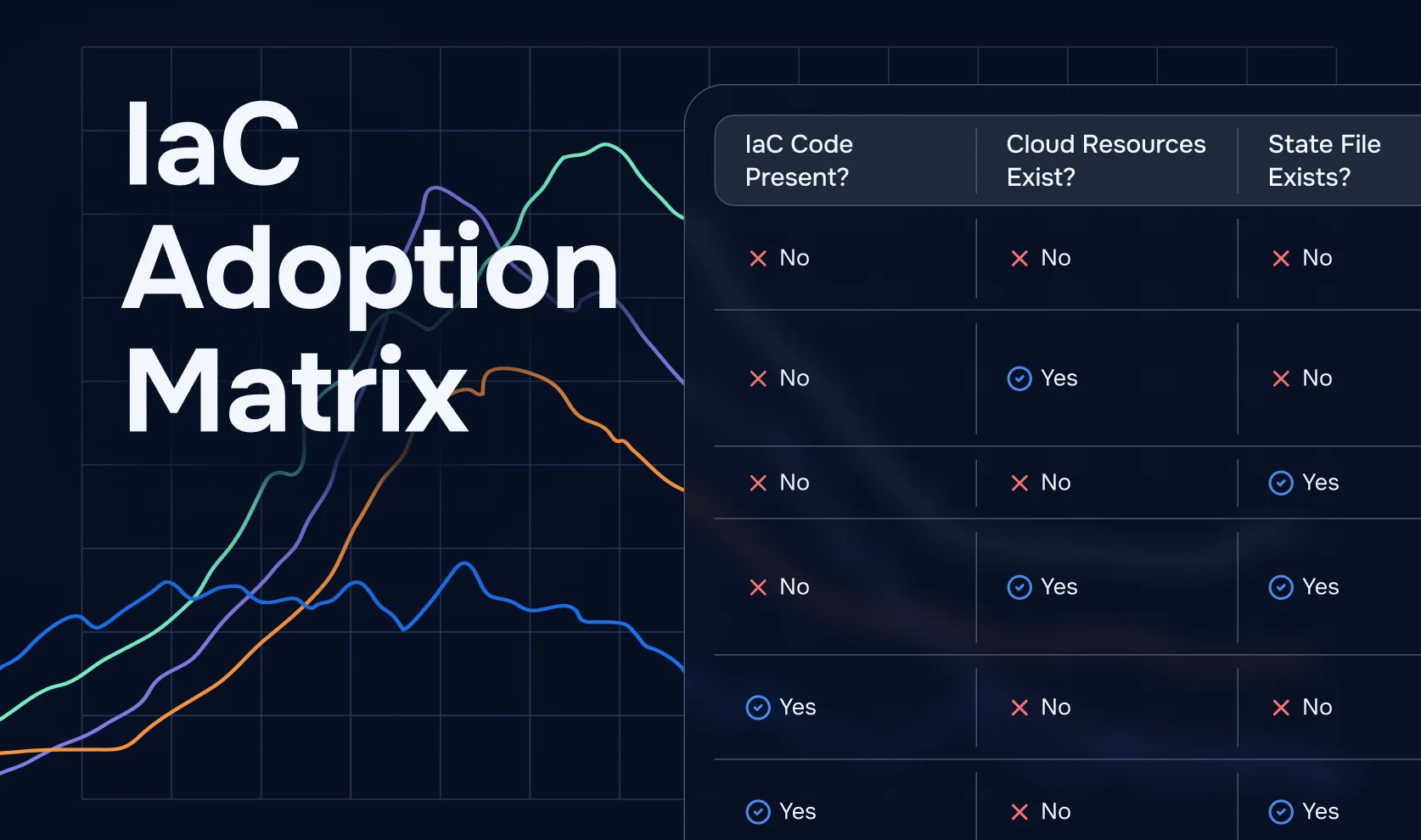
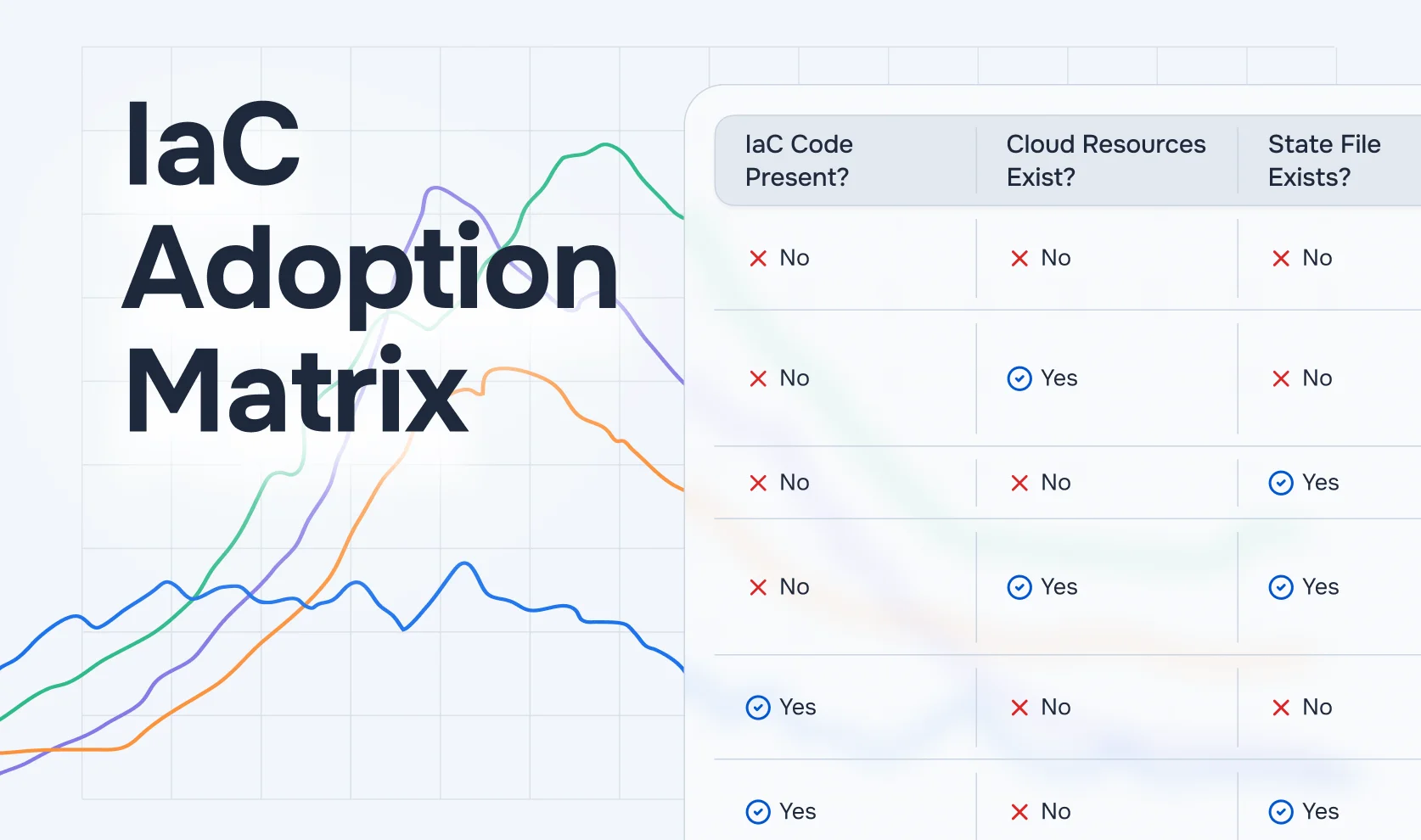
The engineer selects unmanaged resources. SGCode generates Terraform or OpenTofu configuration for each, resolves dependencies, validates the output through an internal terraform plan, and opens a PR in the connected GitHub repository. After the merge, the IaC Adoption Matrix updates the coverage percentage.
With resources codified, the platform team moves to Develop → Library → IaC & Stack Templates to create the deployment blueprints application teams will use:
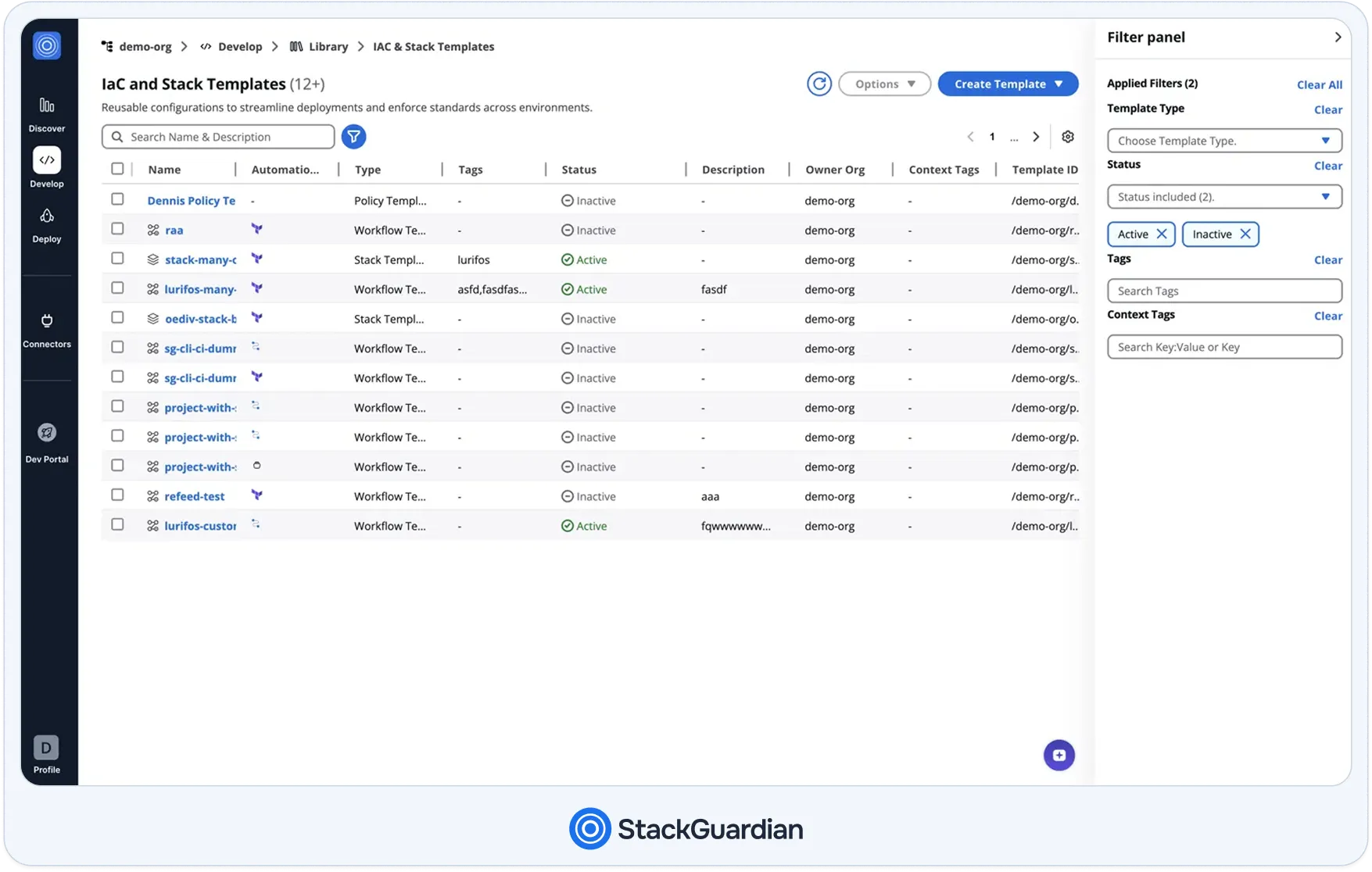
The Status column shows which templates are Active and available for self-service consumption, stack-many-c and lurifos-many in the example, and which are Inactive and held for reference only. Stack Templates (shown with the stacked-layers icon) chain multiple Workflow Templates in dependency order, passing outputs from one step to the next as inputs.
Step 3: Attach policy templates and configure runtime containers
Before templates go live, the platform team sets up governance rules under Develop → Library → Policy Templates:
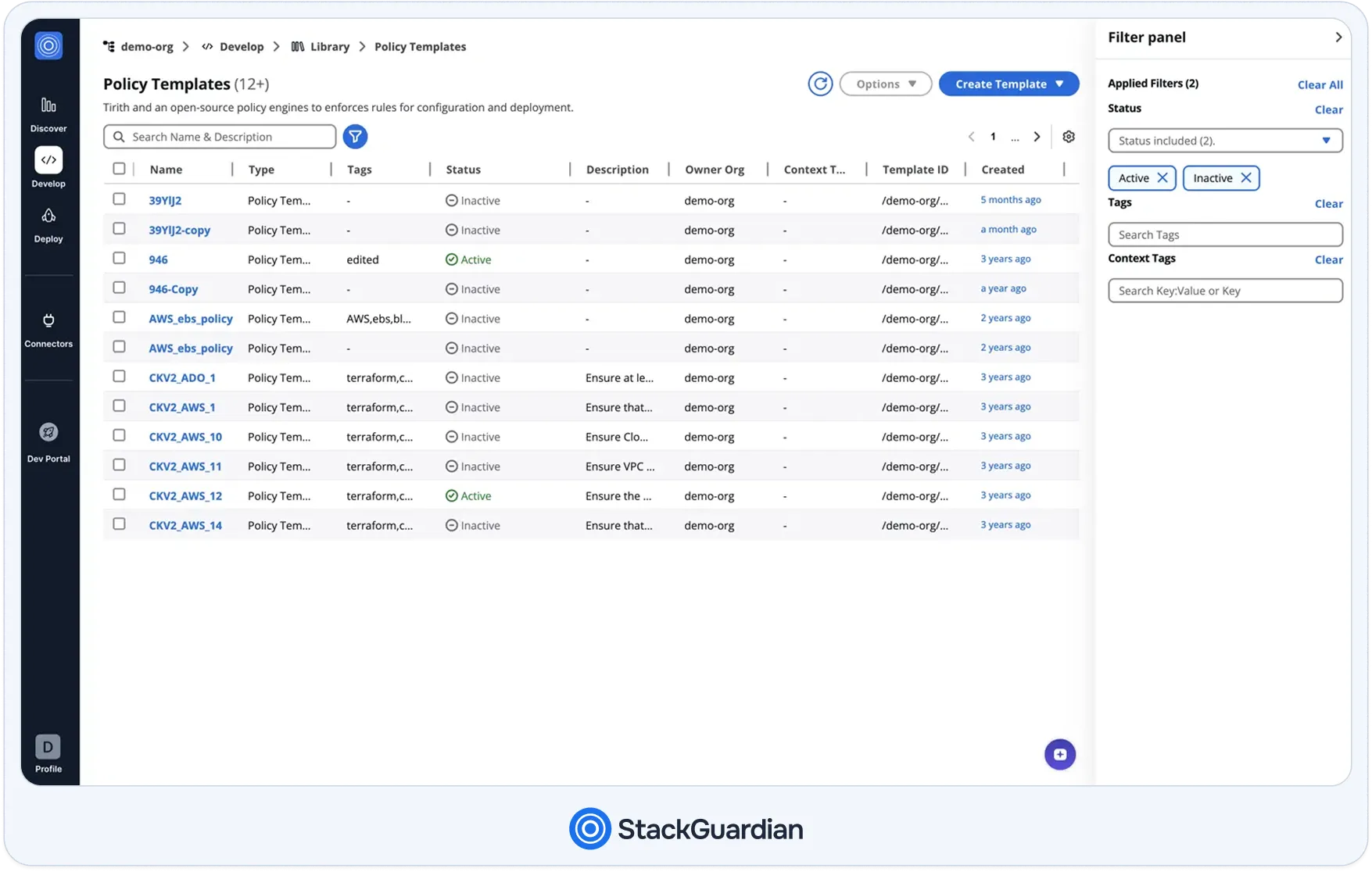
Policies like CKV2_AWS_1 through CKV2_AWS_14 enforce Checkov rules against Terraform plans, VPC configuration, EBS settings, and IAM access controls. Each policy attaches to a Workflow Template. When a deployment runs, SGOrchestrator evaluates attached policies before terraform apply fires. Each policy rule returns one of five statuses: Pass (workflow proceeds), Fail (workflow is blocked), Warn (proceeds with notification), Approval Required (pauses for a named approver), or Unevaluated. For custom workflow steps, exit codes also control flow: 0 for success, 1 for failure, and 11 to trigger conditional approval.
Each template also specifies a Runtime Container, a Docker image that defines the exact Terraform version, CLI tools, and init scripts for that workflow. Outputs written to the shared artifacts directory are referenceable by downstream workflows in a Stack using Reference Variables (e.g., ${reference::template-group.0.outputs.cluster_name}).
Step 4: Self-service deployment
Application teams open the self-service catalog through Backstage, ServiceNow, or the StackGuardian Dev Portal, select a template, fill in parameters through the no-code form, and submit. SGOrchestrator evaluates policies, routes through approval gates, and applies workflows in dependency order, without the developer touching a .tf file.
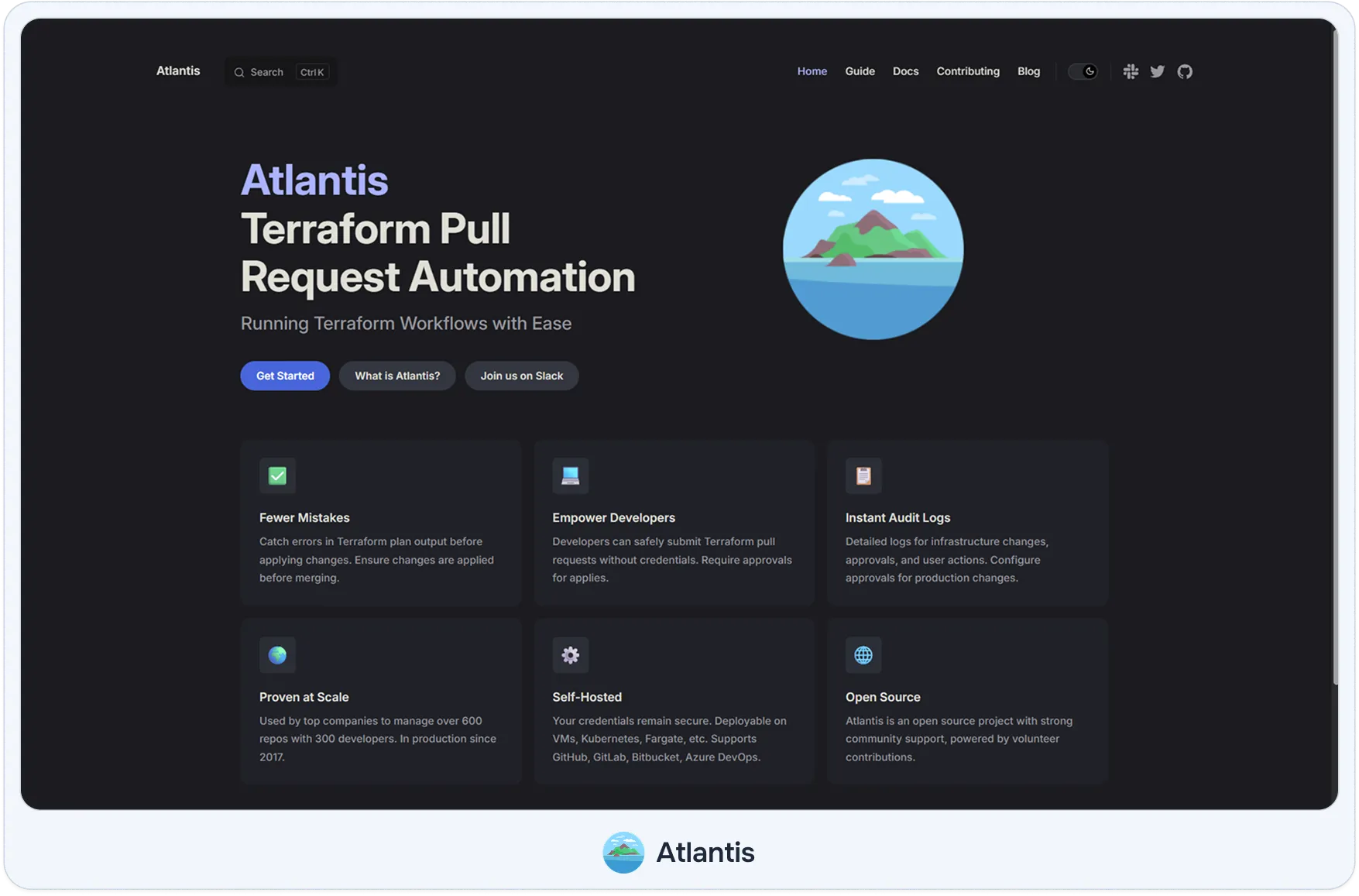
Atlantis is an open-source, self-hosted Terraform automation server that connects to GitHub, GitLab, or Bitbucket via webhooks and runs terraform plan and terraform apply from pull requests. It solves one problem: automating Terraform execution from the pull request review workflow without requiring a managed platform. State management, policy enforcement, and drift detection all sit outside Atlantis's scope and require separate tooling or pre-plan hooks.
A developer opens a pull request modifying a security group in the networking/ directory. Atlantis receives the GitHub webhook, identifies that networking/ changed, and runs terraform plan against that workspace using credentials configured in the Atlantis server environment. Atlantis immediately locks the workspace to prevent concurrent runs from conflicting on the same state file. Here is how the Atlantis server dashboard looks at this point:
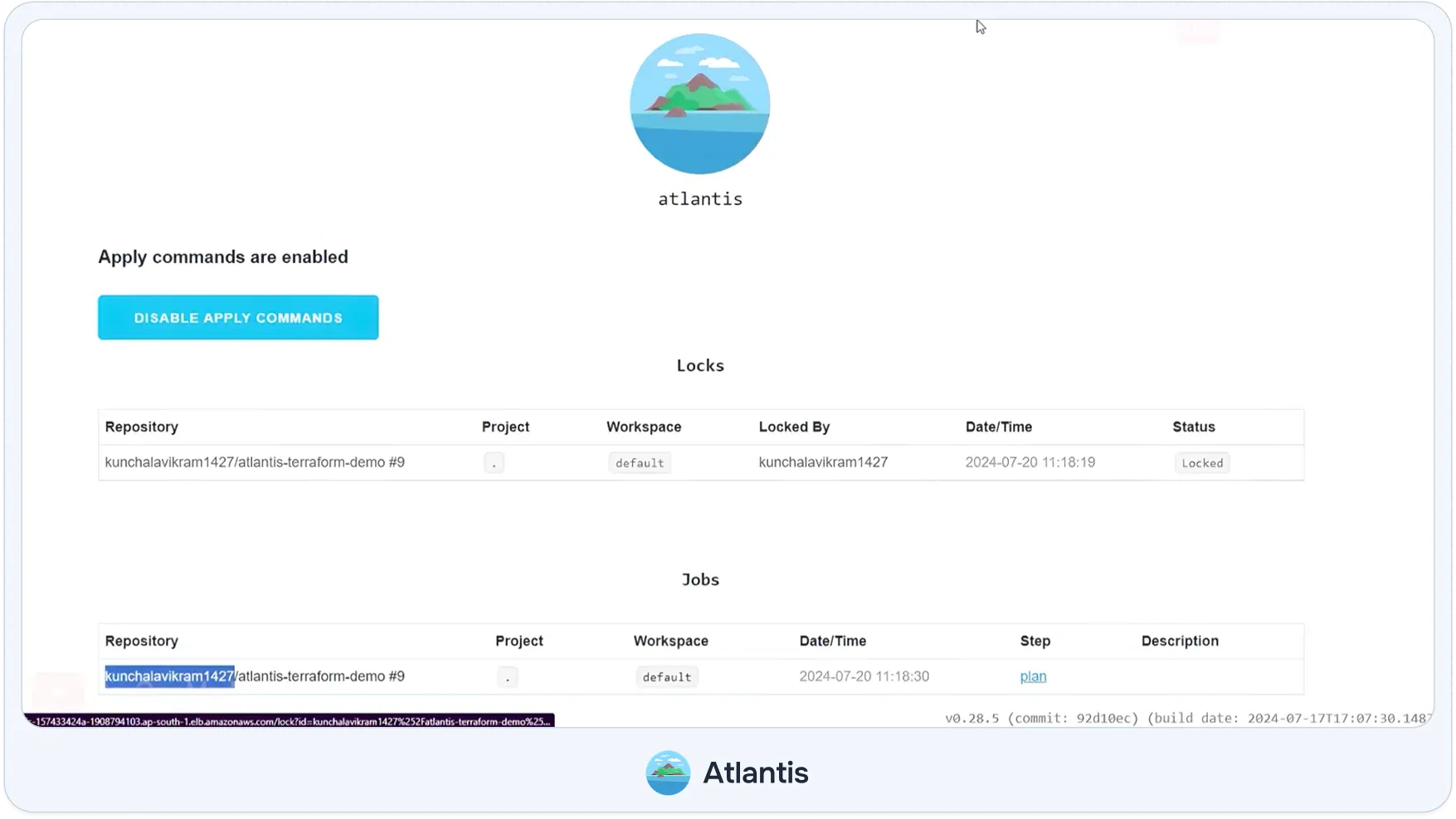
The Locks table shows the default workspace locked against PR #9 by kunchalavikram1427 at 11:18:19. The Jobs table, triggered eleven seconds later at 11:18:30, shows the plan step running against the same repository and workspace. Clicking the plan link opens the full terraform plan output. The plan output is also posted as a comment on the pull request for the reviewer's inspection.
A reviewer reads the plan, approves the PR, and posts atlantis apply as a PR comment. Atlantis runs terraform apply, posts the apply output back to the PR thread, and releases the workspace lock when apply completes. Teams using Terragrunt configure a custom workflow that calls terragrunt plan instead of terraform plan. Pre-plan hooks can call conftest verify against OPA policies before the plan runs, wiring basic policy enforcement without a native policy engine.
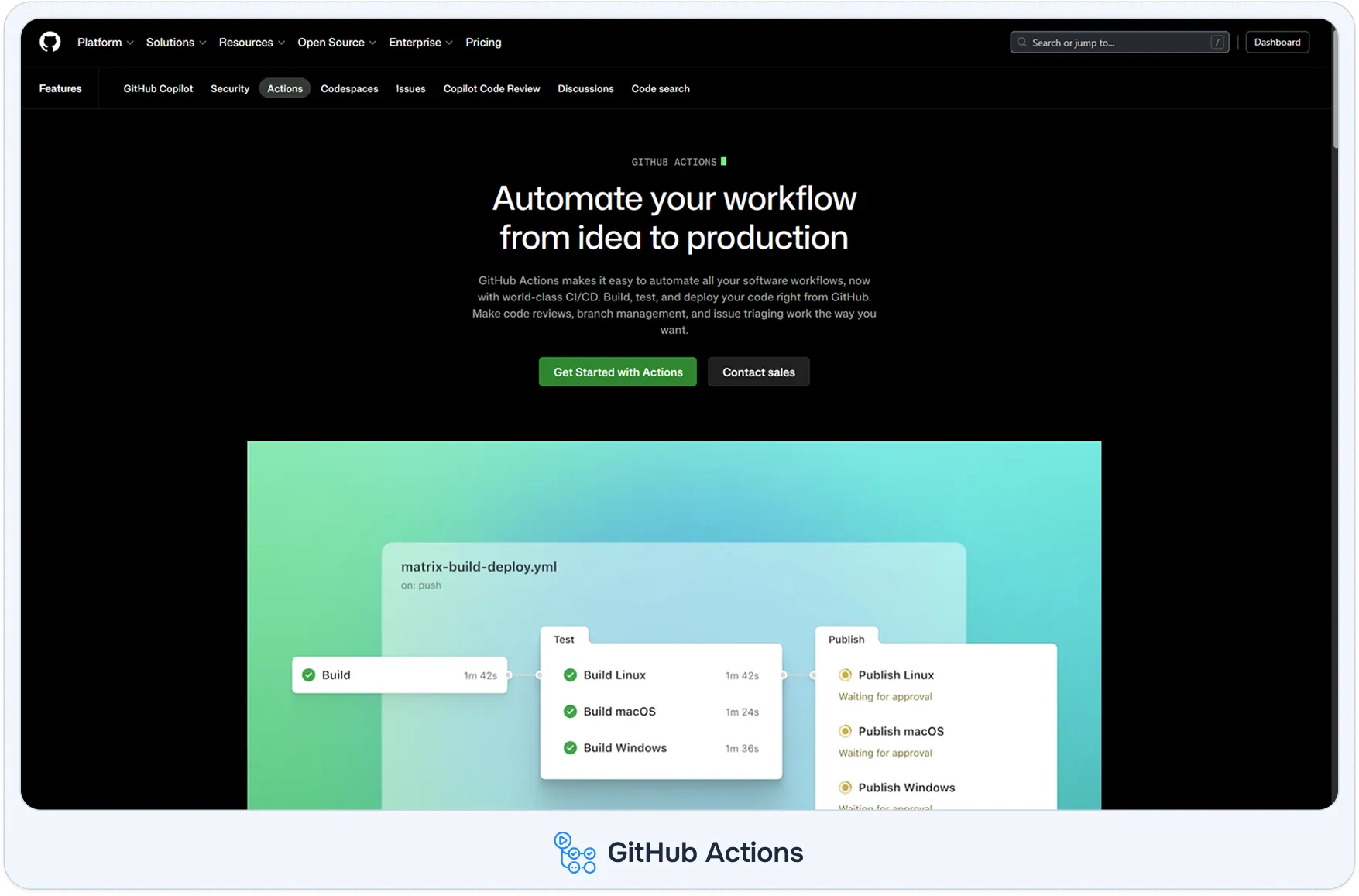
GitHub Actions is a general-purpose CI/CD platform that runs terraform plan and terraform apply as steps inside YAML workflow files stored in the repository. It is not a dedicated Terraform platform; it provides no managed state backend, no native policy engine, and no drift detection. What it provides is full control over every pipeline stage and native integration with the GitHub pull request workflow that many engineering teams already use for application deployments. Teams that already run application CI/CD through GitHub Actions often find that adding Terraform as a workflow step removes the need for a separate IaC platform entirely.
A developer opens a pull request modifying an EKS cluster configuration. A terraform-plan.yml workflow triggers: it runs terraform fmt --check, terraform validate, terraform init against the configured S3 backend, Checkov for static analysis, and terraform plan. The plan output is posted as a PR comment using the hashicorp/setup-terraform action. A reviewer inspects the plan and approves the PR.
After the merge, the terraform-apply.yml workflow is triggered. It targets the production GitHub Environment, pauses for manual approval from a senior engineer, then runs terraform apply. A separately scheduled detect-drift workflow runs nightly; it calls terraform plan against each workspace and flags any non-zero output. Here is how a completed detect-drift run looks in the GitHub Actions job view:

The Terraform Plan step at line 18 outputs No changes. Your infrastructure matches the configuration. The VPC with ID vpc-06fe36788d0330628 matches its state file exactly. The custom DRIFT-DETECTOR: "No changes detected" line on line 22 is a team-defined exit message that the workflow uses to decide whether to post a Slack alert. The full job was completed in 19 seconds across four steps: AWS credentials setup, Terraform setup, init, and plan.
GitLab CI/CD runs Terraform as pipeline stages defined in .gitlab-ci.yml files stored alongside infrastructure code. It is not a dedicated IaC platform; governance, drift detection, and self-service require additional configuration. Its primary advantage is consolidation: source control, CI/CD, security scanning, merge request approvals, and Terraform execution all live inside a single platform. This matters most for organizations already standardized on GitLab or operating in air-gapped environments where self-managed runners are a compliance requirement.
A developer opens a merge request modifying an Azure virtual network configuration. The MR pipeline triggers three stages: a validate stage running terraform fmt --check and terraform validate; a plan stage running terraform init and terraform plan, with plan output saved as a pipeline artifact and rendered as a structured table in the MR UI through GitLab's Terraform report artifact format; and a security stage running Checkov against the Terraform configuration.
After reviewer approval, the pipeline proceeds to the apply stage. Here is how the completed pipeline looks in the GitLab pipeline view:
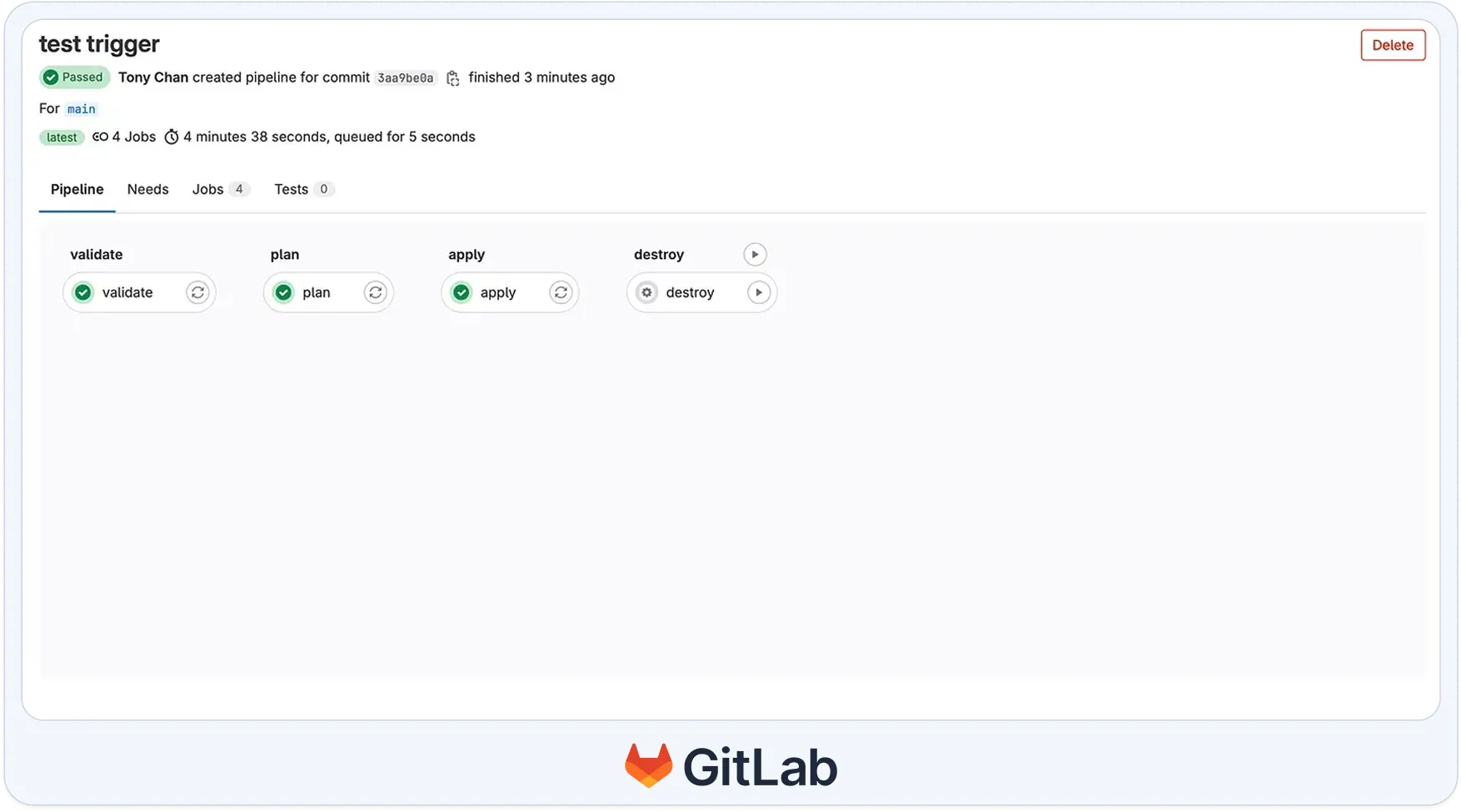
The pipeline ran four sequential stages: validate, plan, and apply, all of which passed with green checkmarks. The destroy stage is configured as a manual trigger (the play button icon) rather than an automatic stage, preventing accidental teardown without explicit intent. The full pipeline for commit 3aa9be0a ran in 4 minutes 38 seconds on the main branch.
The apply stage runs terraform apply using credentials stored in protected CI/CD variables scoped to that environment and writes the updated state to GitLab's built-in Terraform HTTP backend. GitLab surfaces stored state files directly under Operate > Terraform states in the project sidebar:
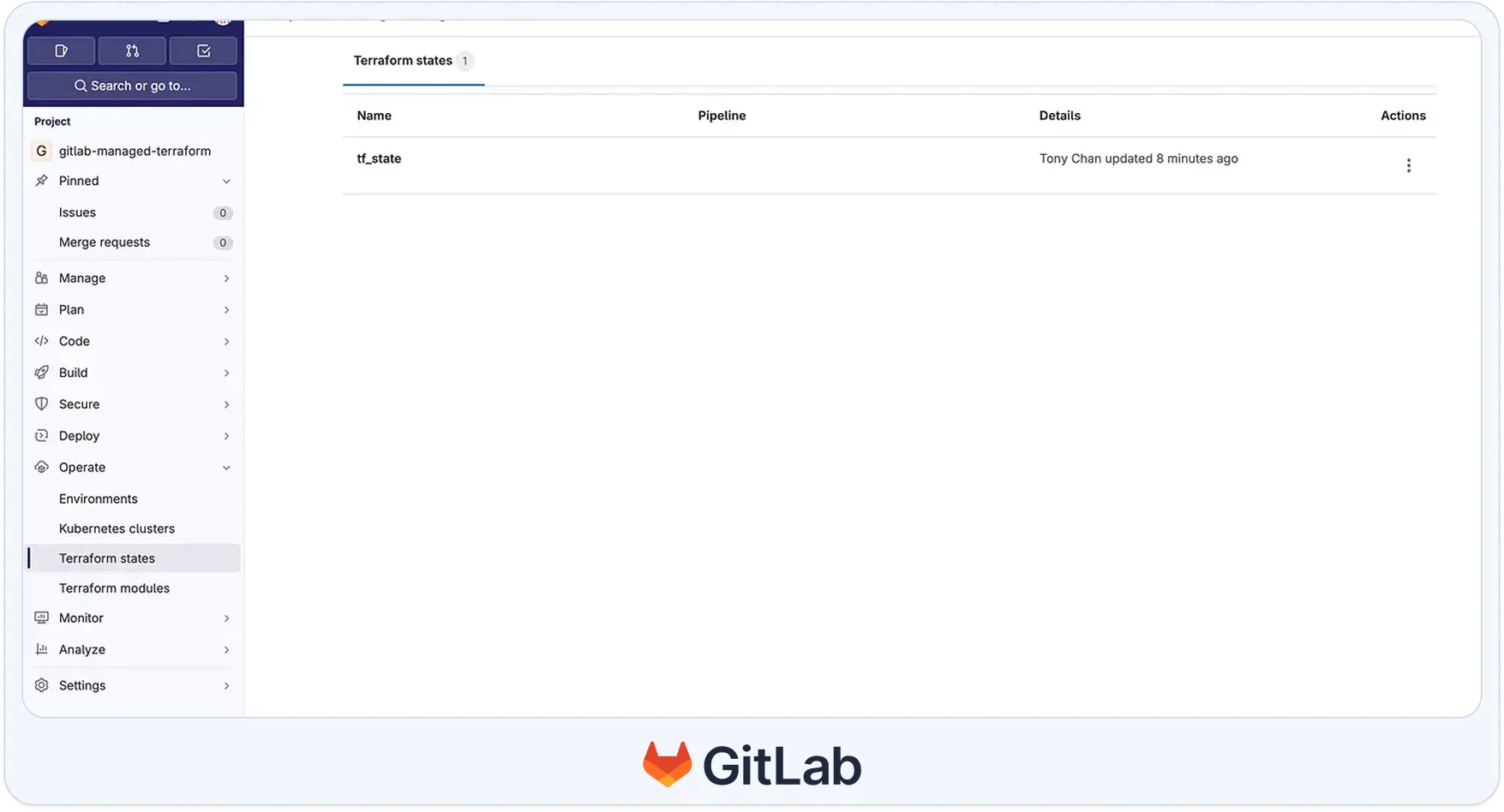
The tf_state entry shows Tony Chan updated 8 minutes ago in the Details column, confirming the state was written by the most recent terraform apply run. Any subsequent CI job in the gitlab-managed-terraform project authenticates to this backend using a short-lived job token, with no external S3 bucket or DynamoDB locking table required. Approval records for the production deployment persist in the GitLab Environment deployment history.

Jenkins is a self-hosted, open-source automation server that runs Terraform as stages in a Jenkinsfile, a Groovy-based pipeline definition stored in the repository. Jenkins provides no Terraform-specific features. Every part of the infrastructure pipeline, state management, policy checks, approval gates, and drift detection, is implemented by the team as pipeline stages using plugins or shell commands. Its relevance as a Terraform Cloud alternative stems from existing enterprise adoption: organizations with Jenkins already running most automated processes often extend it to cover Terraform rather than introducing a second platform.
A developer merges a pull request modifying an RDS instance configuration. A Jenkins multibranch pipeline detects the merge, provisions a Kubernetes agent with the Terraform binary and AWS credentials injected from HashiCorp Vault, and runs five stages in sequence: Checkout Code, Terraform Init, Terraform Plan, a Checkov security scan, and Terraform Apply , with an input step before Apply that sends a Slack notification and waits for a senior engineer to approve in the Jenkins UI. The Jenkins Stage View surfaces per-stage execution times across every build, making it straightforward to see where time is spent and which stages were skipped
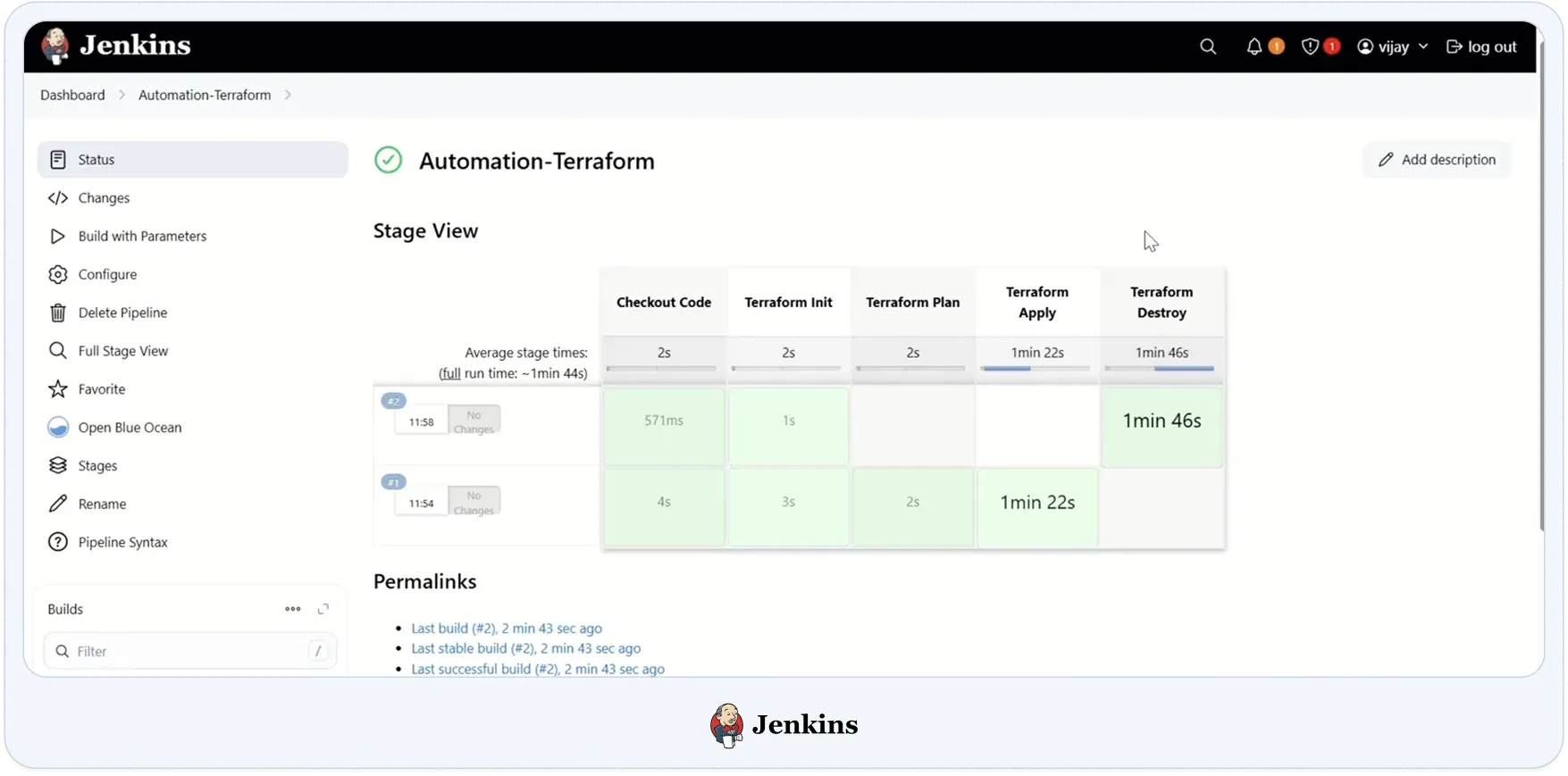
Build #1 (11:54) ran the full pipeline via Terraform: Apply (4s), checkout (3s), init (2s), plan, and apply (1min 22s). Build #2 (11:58) carries a No Changes badge: terraform plan detected no diff against the state file, so the Apply stage was skipped entirely and the pipeline moved to Terraform Destroy (1 min 46 s). The average stage times bar across the top confirms that Apply and Destroy dominate the runtime at 1 min 22 s and 1 min 46 s, respectively; the fmt, init, and plan stages together account for under 10 seconds. The agent terminates after the final stage completes; the state is stored in the S3 backend specified in the Terraform configuration and is not managed directly by Jenkins.
Azure DevOps Pipelines runs Terraform as stages in YAML pipeline files stored in the repository. Like GitHub Actions and GitLab CI/CD, it is a general-purpose CI/CD platform rather than a dedicated IaC management solution; state management, policy enforcement, and drift detection require separate configuration. Its primary advantage in Terraform is native Azure AD identity integration: pipelines authenticate to Azure via Service Connections backed by managed identities or service principals, eliminating the need to store long-lived credentials as pipeline variables.
A developer opens a pull request modifying an Azure resource group configuration. A pipeline defined in azure-pipelines.yml triggers: multiple TerraformTaskV4 steps run in sequence, init, validate, plan, and conditionally apply, using an Azure Resource Manager Service Connection to authenticate at runtime. No credentials are stored in the pipeline definition.
Here is how a completed plan step looks inside the Azure DevOps pipeline job view:
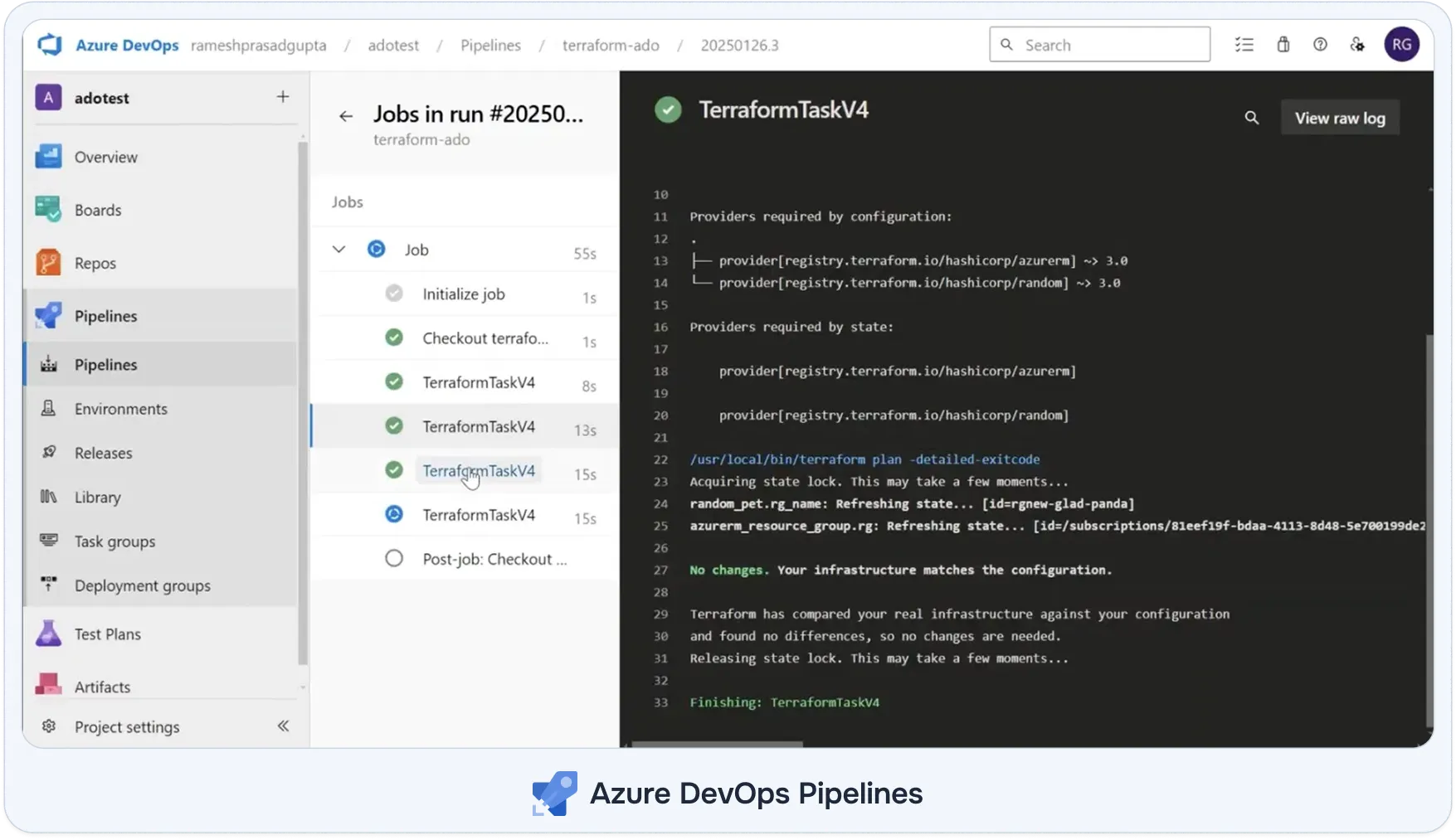
The left panel shows six steps for the current job: Initialize job, Checkout, three TerraformTaskV4 steps (init at 8s, validate at 13s, plan at 15s), and a fourth TerraformTaskV4 still running. The right panel shows the selected plan step executing /usr/local/bin/terraform plan -detailed-exitcode; the -detailed-exitcode flag returns exit code 2 when changes are present and 0 when the infrastructure matches the state, which the pipeline reads to decide whether to proceed with applying. Line 27 outputs No changes. Your infrastructure matches the configuration. after refreshing random_pet.rg_name and azurerm_resource_group.rgagainst their state entries. The state lock is acquired at line 23 and released at line 31, confirming the Azure Blob Storage backend handled concurrent-run protection correctly.
After the plan stage, the deploy-staging stage automatically runs Terraform apply against the staging environment. The deploy-production stage targets the production Azure DevOps Environment, pauses for approval from a configured reviewer group, and then applies after approval. Approval records appear in the environment deployment history alongside pipeline run logs. Terraform variables and backend SAS tokens for Azure Blob Storage are fetched from Azure Key Vault at the start of each stage using the Key Vault task.
Terraform Cloud bundles four things that need separate replacements when you leave: state storage, execution infrastructure, policy enforcement, and credential management. Any migration plan needs to account for all four; switching only the execution layer while leaving state in Terraform Cloud is not a completed migration.
State extraction and backend reconfiguration: Terraform Cloud state is not accessible as a file in a bucket you control. Each workspace state needs to be pulled individually using terraform state pull and saved as a .tfstate JSON file. If you're migrating to StackGuardian, that file uploads directly via Settings → Terraform Configuration → Terraform Customizations → Import Existing Terraform State File; no backend reconfiguration is needed. For other platforms, the cloud {} or remote backend block in each root module needs to be replaced with a self-managed backend (S3, Azure Blob Storage, GCS, or GitLab's HTTP backend). The destination backend must have locking configured (DynamoDB for S3, blob leases for Azure) before state is written to it, and object versioning enabled if audit trails are a compliance requirement.
Execution infrastructure: Terraform Cloud ran terraform plan and terraform apply on HashiCorp-managed compute. The replacement platform needs runners or agents that can reach the Terraform state backend, authenticate to cloud providers, and receive triggers from version control. CI/CD platforms provide this via hosted runners; self-hosted options require the team to provision and maintain compute resources themselves.
Policy replacement: Sentinel policies do not migrate to any alternative platform. Each rule needs to be audited and rewritten before migration completes, using OPA/Rego, Checkov, or a platform-native policy engine. Migrating execution without replacing policy coverage removes governance that was previously enforced automatically.
Credential handover: Terraform Cloud stores cloud provider credentials as workspace- or organization-level variables. The replacement needs a credential mechanism with an equivalent scope: OIDC federation, a secrets manager, Service Connections, or direct cloud account connections, depending on the destination platform.
HCP Terraform is the current product name for Terraform Cloud. HashiCorp rebranded Terraform Cloud to HCP Terraform in 2024 as part of a product consolidation under the HashiCorp Cloud Platform. The underlying platform, feature set, and pricing model are unchanged.
StackGuardian, Atlantis, GitHub Actions, GitLab CI/CD, Jenkins, and Azure DevOps all support OpenTofu. Each platform runs OpenTofu via the CLI; it installs the OpenTofu binary instead of the Terraform binary, and workspace configuration follows the same pattern. Terraform Cloud does not support OpenTofu.
GitHub Actions runs terraform plan and terraform apply from pull requests and handles production approval gates via GitHub Environments. What it does not provide natively: managed remote state (teams configure their own S3 or Azure Blob backend), a policy engine (teams add Checkov or Conftest as workflow steps), and drift detection (teams build scheduled workflows that call plan and report non-zero output). Whether those gaps matter depends on the team's governance requirements.
Atlantis produces a tighter PR-to-apply loop than Terraform Cloud for teams that want plan output directly in the pull request comment thread and apply triggered from a PR comment. Terraform Cloud VCS-driven workspaces also post plan output to PRs, but the run history and apply interface live in the Terraform Cloud UI. Atlantis is self-hosted and free. Terraform Cloud is managed and charges per resource under management. The practical trade-off is the operational overhead of running Atlantis versus the recurring cost of Terraform Cloud's RUM pricing.
StackGuardian's SGCode scans connected AWS, Azure, and GCP accounts, identifies resources without a Terraform state entry, generates Terraform or OpenTofu configuration for selected resources, validates the generated code with an internal plan run, and publishes the result to Git as a pull request. No other platform in this list provides this capability; the remaining platforms assume Terraform code already exists and manage execution from that point forward.
Terraform Cloud charges a monthly rate that scales with the number of cloud resources in the Terraform state; the bill increases as the infrastructure footprint expands, regardless of how frequently deployments run. StackGuardian uses workflow-based pricing rather than per-resource billing, costs scale with deployment activity, not infrastructure size. For current pricing details, see stackguardian.io/pricing. A team managing 5,000 stable resources with infrequent deployments pays more under a per-resource model than under a per-workflow model. A team running hundreds of daily deployments against a smaller resource count pays more under a per-workflow model. Calculate both against your actual resource count and deployment frequency before deciding.

voestalpine.webp)