Building an AWS Account Vending Machine with StackGuardian
An AWS Account Vending Machine provides automated, self-service environments - here's how.
An AWS Account Vending Machine provides automated, self-service environments - here's how.
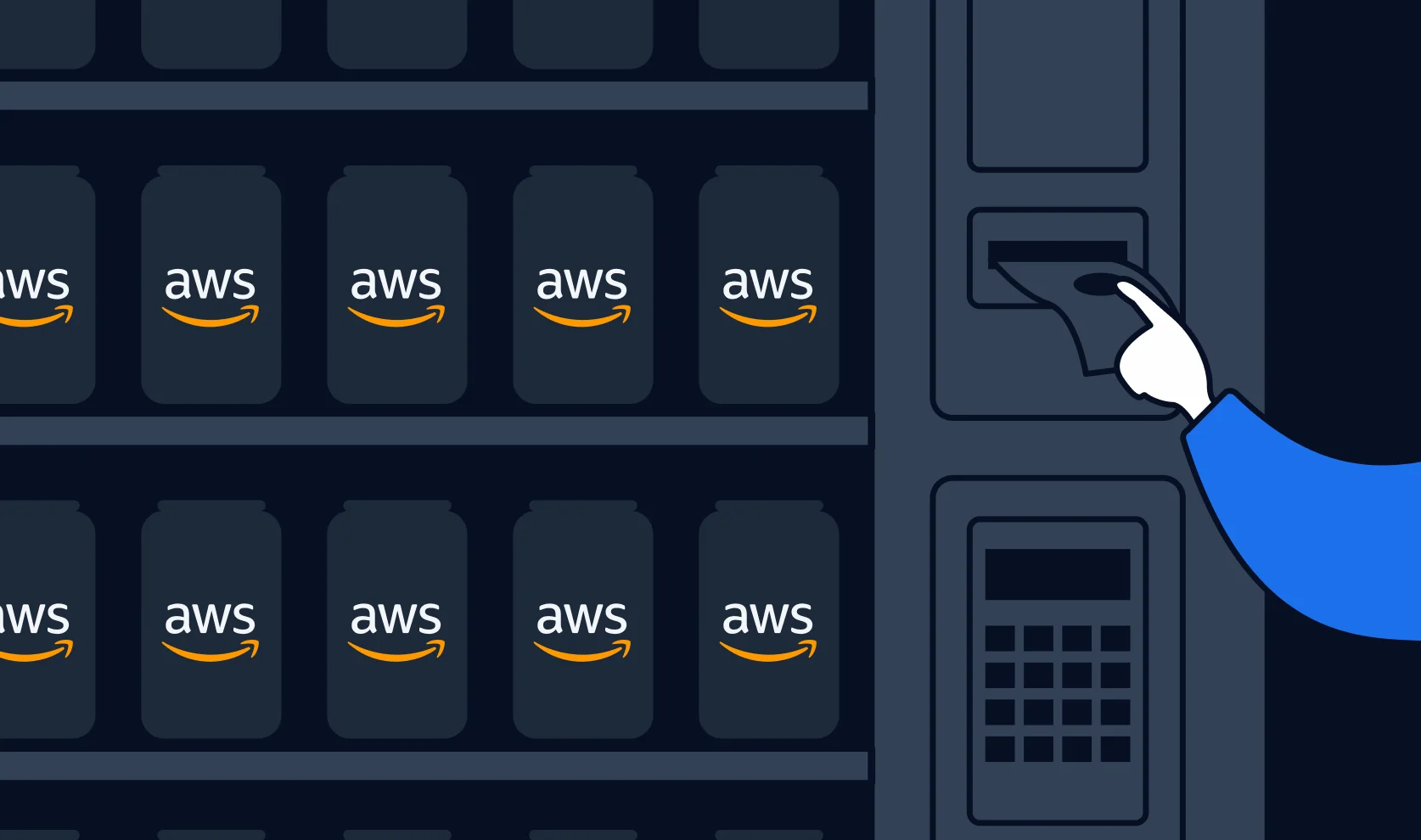
Modern engineering organizations face a recurring tension: developers need isolated cloud environments to experiment freely, but provisioning those environments manually creates platform team bottlenecks and governance gaps.
An AWS Account Vending Machine (AVM) solves this with automated, self-service account lifecycle management. Each developer gets a dedicated AWS account — not a shared VPC, not a namespace — providing true isolation at the IAM, billing, and security boundary level. AWS accounts are analogous to Azure Subscriptions and GCP Projects (full billing and identity boundary), not Azure Resource Groups, which offer no security isolation.
The business case rests on four pillars:
The solution uses two Terraform stacks orchestrated by StackGuardian:
AWS Organization (root)
├── Management Account                      ← Stack 1: control plane
│   ├── SSM Parameter Store                (/orchtestrator/vendingmachine/<account-id> locks)
│   ├── ECS Fargate cluster                (cleanup tasks)
│   └── EventBridge rule                   (DeleteParameter → ECS trigger)
└── Account Pool OU
    ├── Sandbox Account 001                 ← Stack 2: baseline per account
    ├── Sandbox Account 002
    └── ...
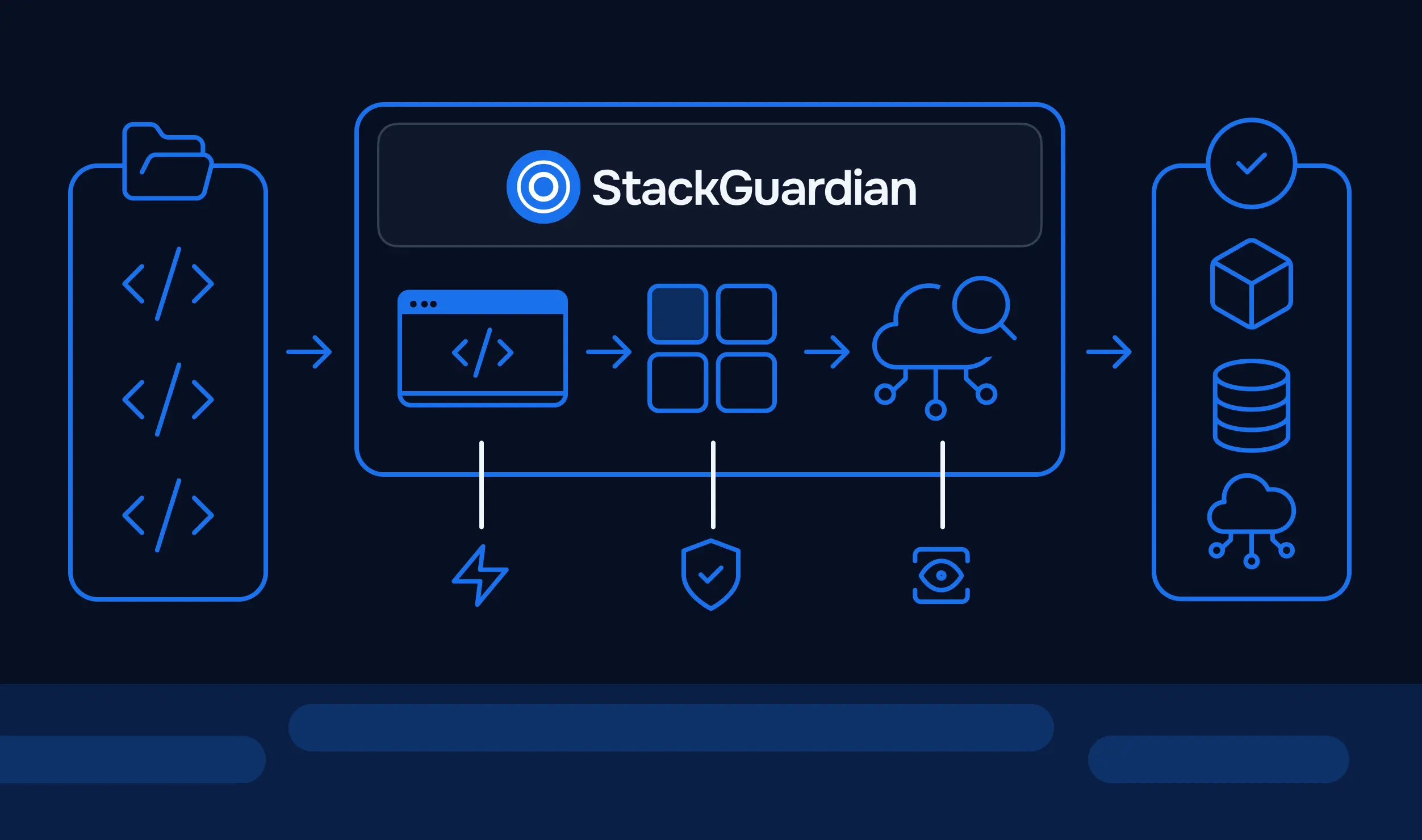
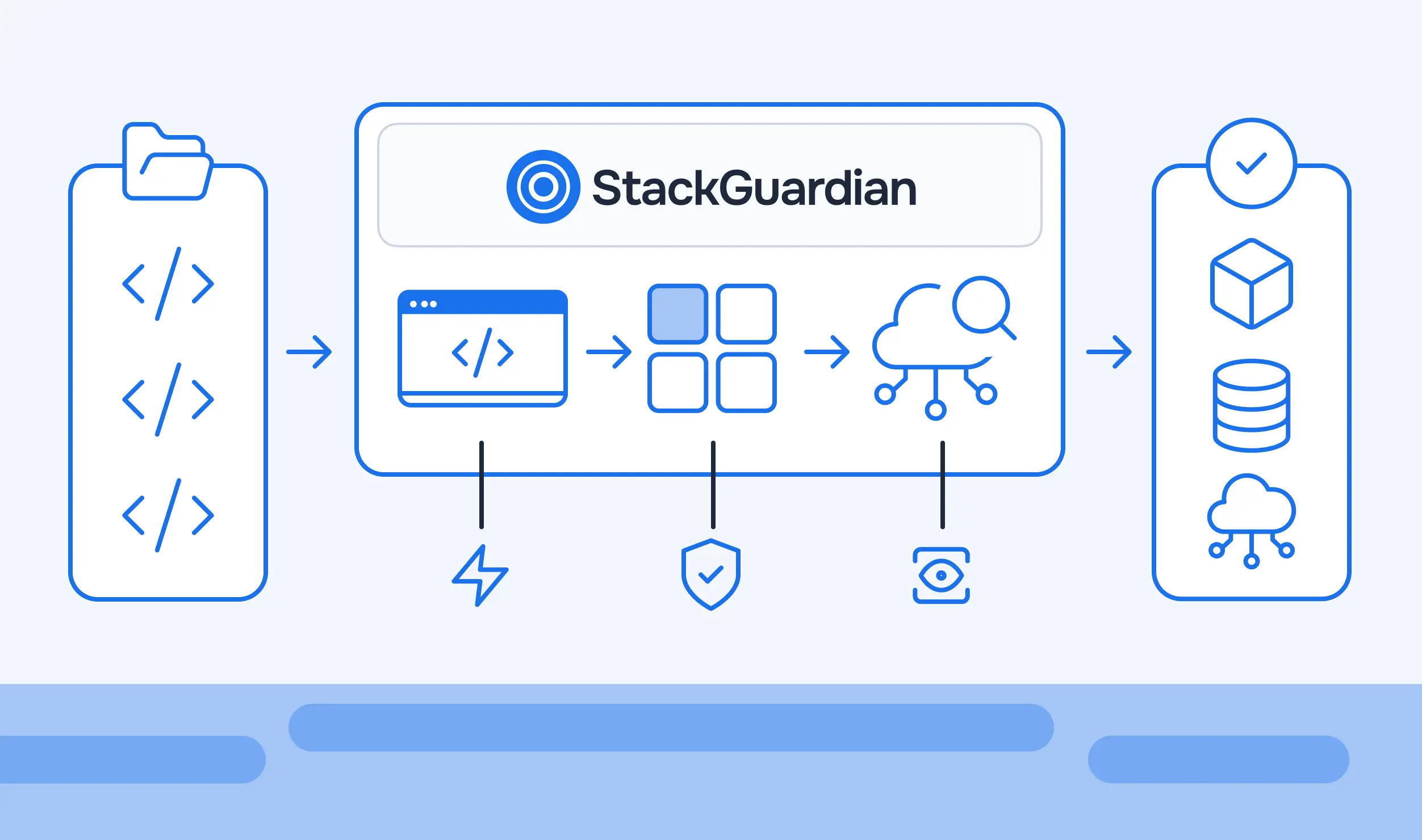
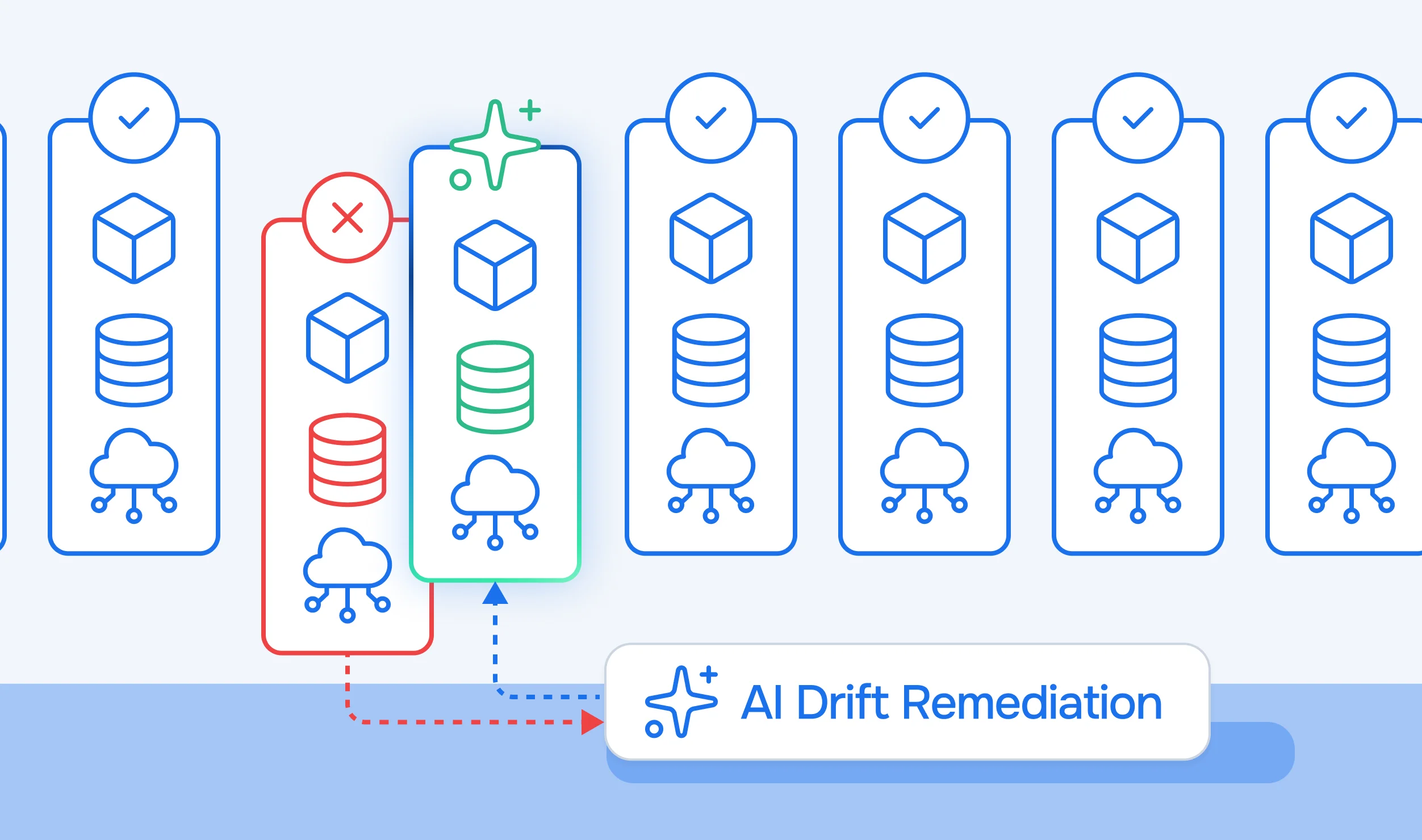
StackGuardian serves as the orchestration and compliance layer: it runs the Terraform workflows, enforces Tirith policies before every apply, provides the self-service developer portal, and continuously monitors accounts for configuration drift.
SSM-based allocation: Lock parameters at /orchtestrator/vendingmachine/<account-id> mark accounts as in-use. The pool itself is not stored in SSM — Stack 1 queries AWS Organizations dynamically to discover all accounts in the designated pool OU. Stack 2 owns the full selection cycle: it queries Organizations for pool accounts, checks SSM for existing locks, claims the first available account by creating its lock parameter, then proceeds with provisioning. This keeps all allocation logic inside the provisioning workflow with no custom orchestration services. Note that SSM Parameter Store has no conditional write API, so this is a soft lock rather than an atomic compare-and-swap — workflows should be serialized at the queue level to prevent concurrent requests from selecting the same account. For a hard atomic lock, replace the SSM lock with a DynamoDB PutItem using a ConditionExpression.
Cleanup trigger: When a developer deletes their SSM parameter, EventBridge detects the CloudTrail DeleteParameter event and targets an ECS Fargate task directly — no Lambda intermediary required.
Stack 1 does not maintain a static list of account IDs. Instead, it queries AWS Organizations dynamically to discover all accounts within the designated pool OU. Any account added to or removed from the OU is automatically included or excluded on the next run — no variable changes required.
variable "pool_ou_name" {
  type        = string
  default     = "Account Pool"
  description = "Name of the Organizational Unit containing sandbox accounts"
}

data "aws_organizations_organization" "current" {}

data "aws_organizations_organizational_units" "root_children" {
  parent_id = data.aws_organizations_organization.current.roots[0].id
}

locals {
  pool_ou = one([
    for ou in data.aws_organizations_organizational_units.root_children.children :
    ou if ou.name == var.pool_ou_name
  ])
}

data "aws_organizations_accounts" "pool" {
  parent_id = local.pool_ou.id
}

locals {
  pool_account_ids = [
    for a in data.aws_organizations_accounts.pool.accounts :
    a.id if a.status == "ACTIVE"
  ]
}
Account selection and lock acquisition happen entirely inside Stack 2 — covered in the next section.
When Stack 2 deletes a lock parameter to return an account to the pool, EventBridge captures the CloudTrail event and launches the ECS Fargate cleanup task directly — no manual step required:
resource "aws_cloudwatch_event_rule" "cleanup_trigger" {
  name        = "avm-cleanup-on-lock-delete"
  description = "Trigger ECS cleanup when an account lock parameter is deleted"

  event_pattern = jsonencode({
    source        = ["aws.ssm"]
    "detail-type" = ["AWS API Call via CloudTrail"]
    detail = {
      eventSource = ["ssm.amazonaws.com"]
      eventName   = ["DeleteParameter"]
      requestParameters = {
        name = [{ prefix = "/orchtestrator/vendingmachine/" }]
      }
    }
  })
}

resource "aws_cloudwatch_event_target" "cleanup_ecs" {
  rule      = aws_cloudwatch_event_rule.cleanup_trigger.name
  target_id = "avm-cleanup-ecs"
  arn       = aws_ecs_cluster.cleanup.arn
  role_arn  = aws_iam_role.eventbridge_ecs_role.arn

  ecs_target {
    task_definition_arn = aws_ecs_task_definition.cleanup.arn
    launch_type         = "FARGATE"
    network_configuration {
      subnets          = var.private_subnet_ids
      assign_public_ip = false
    }
  }

  input_transformer {
    input_paths = {
      param_name = "$.detail.requestParameters.name"
    }
    input_template = jsonencode({
      containerOverrides = [{
        name = "cleanup"
        environment = [{
          name  = "LOCK_PARAMETER_NAME"
          value = "<param_name>"
        }]
      }]
    })
  }
}
Prerequisite: CloudTrail must be enabled for management events in the region where parameters are deleted.
The cleanup container (ghcr.io/ekristen/aws-nuke) receives LOCK_PARAMETER_NAME, extracts the account ID from the parameter path, assumes OrganizationAccountAccessRole in the target account, and removes all developer-created resources. aws-nuke handles resource ordering, retries, and cross-region fan-out automatically; a YAML config file defines which baseline resources (StackGuardianExecutionRole, OrganizationAccountAccessRole, CloudTrail trails, etc.) should be preserved. A minimal entrypoint looks like:
#!/usr/bin/env bash
set -euo pipefail

# Account ID is the last segment of /orchtestrator/vendingmachine/<account-id>
ACCOUNT_ID=$(echo "$LOCK_PARAMETER_NAME" | cut -d'/' -f4)

# Assume OrganizationAccountAccessRole in the target account
CREDS=$(aws sts assume-role \\
  --role-arn "arn:aws:iam::${ACCOUNT_ID}:role/OrganizationAccountAccessRole" \\
  --role-session-name "avm-cleanup-${ACCOUNT_ID}")

export AWS_ACCESS_KEY_ID=$(echo "$CREDS" | jq -r '.Credentials.AccessKeyId')
export AWS_SECRET_ACCESS_KEY=$(echo "$CREDS" | jq -r '.Credentials.SecretAccessKey')
export AWS_SESSION_TOKEN=$(echo "$CREDS" | jq -r '.Credentials.SessionToken')

# Run aws-nuke using a config that excludes baseline roles and services.
# The config is baked into the container image at /etc/aws-nuke/config.yaml.
aws-nuke run \\
  --config /etc/aws-nuke/config.yaml \\
  --target-account-id "${ACCOUNT_ID}" \\
  --no-dry-run

# No SSM update needed: Stack 2 deleted the lock before triggering this task,
# so the account is already available to the next provisioning workflow.
The config.yaml uses aws-nuke's filters section to preserve baseline resources by name or tag, ensuring the StackGuardianExecutionRole and any security services survive the cleanup. The account is available for reassignment as soon as the lock parameter is deleted — the ECS task only handles resource cleanup, not pool bookkeeping.
Every Stack 2 run queries Organizations for the pool accounts, checks SSM for existing locks, and claims the first available account by creating its lock parameter. A check block replaces the silent count = 0 pattern, failing the plan explicitly when the pool is exhausted.
# Discover pool accounts from Organizations (mirrors the Stack 1 query)
data "aws_organizations_organizational_units" "root_children" {
  parent_id = data.aws_organizations_organization.current.roots[0].id
}

locals {
  pool_ou = one([
    for ou in data.aws_organizations_organizational_units.root_children.children :
    ou if ou.name == var.pool_ou_name
  ])
}

data "aws_organizations_accounts" "pool" {
  parent_id = local.pool_ou.id
}

# Discover which accounts are already allocated
data "aws_ssm_parameters_by_path" "locks" {
  path = "/orchtestrator/vendingmachine/"
}

locals {
  all_account_ids = [
    for a in data.aws_organizations_accounts.pool.accounts :
    a.id if a.status == "ACTIVE"
  ]

  locked_account_ids = [
    for name in data.aws_ssm_parameters_by_path.locks.names :
    element(split("/", name), 3)  # extract account ID from /orchtestrator/vendingmachine/<account-id>
  ]

  available_account_ids = [
    for id in local.all_account_ids :
    id if !contains(local.locked_account_ids, id)
  ]

  selected_account_id = (
    length(local.available_account_ids) > 0 ? local.available_account_ids[0] : null
  )
}

# Fail explicitly when no accounts are available — no silent no-ops
check "account_pool_not_exhausted" {
  assert {
    condition     = local.selected_account_id != null
    error_message = "No accounts available in the '${var.pool_ou_name}' OU. All pool accounts are currently allocated."
  }
}

# Claim the selected account by creating its lock
resource "aws_ssm_parameter" "lock" {
  name  = "/orchtestrator/vendingmachine/${local.selected_account_id}"
  type  = "String"
  value = var.workflow_id

  tags = {
    ManagedBy = "StackGuardian"
  }
}
StackGuardian passes local.selected_account_id as an input variable to the rest of the Stack 2 workflow, which uses it to configure the AWS provider's assume_role target for cross-account resource creation. When the account is returned to the pool, Stack 2 destroys the aws_ssm_parameter.lock resource — which fires the EventBridge rule and starts ECS cleanup automatically.
Every provisioned account needs a cross-account role so StackGuardian can manage resources in it. This role is created first, before any other baseline resources.
The actual trust policy lists two specific StackGuardian AWS account IDs rather than a single configurable principal. These account IDs are provided by StackGuardian — replace the placeholders below with the values from your StackGuardian onboarding documentation.
variable "stackguardian_external_id" {
  type      = string
  sensitive = true
}

# StackGuardian account IDs — obtain from StackGuardian onboarding docs.
# IAM is a global service; the region field is empty, hence the double colon in these ARNs.
locals {
  stackguardian_principal_arns = [
    "arn:aws:iam::<SG_ACCOUNT_ID_1>:root",
    "arn:aws:iam::<SG_ACCOUNT_ID_2>:root",
  ]
}

resource "aws_iam_role" "stackguardian_execution_role" {
  name        = "StackGuardianExecutionRole"
  description = "Role assumed by StackGuardian for cross-account provisioning"

  assume_role_policy = jsonencode({
    Version = "2012-10-17"
    Statement = [{
      Sid    = "AllowStackGuardianAssumeRole"
      Effect = "Allow"
      Principal = {
        AWS = local.stackguardian_principal_arns
      }
      Action = "sts:AssumeRole"
      Condition = {
        StringEquals = {
          "sts:ExternalId" = var.stackguardian_external_id
        }
      }
    }]
  })

  tags = {
    ManagedBy = "StackGuardian"
  }
}

resource "aws_iam_role_policy_attachment" "execution_role_admin" {
  role       = aws_iam_role.stackguardian_execution_role.name
  # For AWS-managed policies, "aws" occupies the account-id field in the ARN.
  policy_arn = "arn:aws:iam::aws:policy/AdministratorAccess"
}
The ExternalId condition prevents the confused deputy problem: only StackGuardian, presenting the correct external ID alongside one of the two trusted account principals, can assume this role.
resource "aws_iam_role" "developer_role" {
  name = "DeveloperRole"

  assume_role_policy = jsonencode({
    Version = "2012-10-17"
    Statement = [{
      Effect    = "Allow"
      Principal = { AWS = "arn:aws:iam::${var.identity_account_id}:root" }
      Action    = "sts:AssumeRole"
      Condition = { Bool = { "aws:MultiFactorAuthPresent" = "true" } }
    }]
  })
}

resource "aws_iam_role_policy_attachment" "developer_power_user" {
  role       = aws_iam_role.developer_role.name
  policy_arn = "arn:aws:iam::aws:policy/PowerUserAccess"
}
PowerUserAccess allows developers to provision most AWS services while blocking IAM, billing, and account-level changes. They cannot delete the baseline security services or modify the StackGuardianExecutionRole.
Note: The security baseline, budget alerts, DeveloperRole, and VPC described below are recommended additions and are not yet implemented in this reference codebase. They are included here as the intended target architecture. Adopters should implement them as part of their Stack 2 extension.
The recommended baseline for every provisioned account includes:
10.0.0.0/16 with public and private subnets across two availability zones.Service Control Policies should protect Config, CloudTrail, GuardDuty, and Security Hub from being disabled by the DeveloperRole. Required tags (Environment, Owner, CostCenter) are enforced by Tirith before any resource is created.
The developer provisions resources freely within the account. StackGuardian continuously monitors for configuration drift and flags changes made outside of Terraform in the dashboard. When the recommended security baseline is deployed, CloudTrail logs all API calls to the central logging account and GuardDuty provides continuous threat detection throughout the account's active lifetime.
DeleteParameter event within seconds and launches the ECS Fargate cleanup task.OrganizationAccountAccessRole in the target account and removes all developer-created resources in parallel.Total cleanup time: 20–45 minutes depending on resource volume.
Tirith is StackGuardian's policy engine. Policies are JSON documents evaluated against the Terraform plan before apply. If any evaluator fails, the workflow is blocked and the developer receives a descriptive error message — no resources are created.
{
  "meta": {
    "required_provider": "stackguardian/terraform_plan",
    "version": "v1"
  },
  "evaluators": [
    {
      "id": "s3_encryption_algorithm",
      "description": "All S3 buckets must use AES256 or aws:kms encryption",
      "provider_args": {
        "operation_type": "attribute",
        "terraform_resource_type": "aws_s3_bucket_server_side_encryption_configuration",
        "terraform_resource_attribute": "rule"
      },
      "condition": {
        "type": "Contains",
        "value": "apply_server_side_encryption_by_default",
        "error_message": "S3 bucket is missing a server-side encryption configuration"
      }
    }
  ],
  "eval_expression": "s3_encryption_algorithm"
}
The Contains condition on a tags attribute checks whether the tag map includes the specified key-value pair. Replace the example values below with your organization's actual expected values. If you only need to assert that a key is present with any value, consult the Tirith condition reference — an Exists-type evaluator may be more appropriate for that case.
{
  "meta": {
    "required_provider": "stackguardian/terraform_plan",
    "version": "v1"
  },
  "evaluators": [
    {
      "id": "tag_environment",
      "description": "All resources must be tagged Environment=sandbox",
      "provider_args": {
        "operation_type": "attribute",
        "terraform_resource_type": "*",
        "terraform_resource_attribute": "tags"
      },
      "condition": {
        "type": "Contains",
        "value": { "Environment": "sandbox" },
        "error_message": "Missing required tag: Environment=sandbox"
      }
    },
    {
      "id": "tag_owner",
      "description": "All resources must be tagged with an Owner (replace with your team identifier)",
      "provider_args": {
        "operation_type": "attribute",
        "terraform_resource_type": "*",
        "terraform_resource_attribute": "tags"
      },
      "condition": {
        "type": "Contains",
        "value": { "Owner": "platform-team@example.com" },
        "error_message": "Missing required tag: Owner — set to your team email"
      }
    },
    {
      "id": "tag_costcenter",
      "description": "All resources must be tagged with a CostCenter (replace with your cost center code)",
      "provider_args": {
        "operation_type": "attribute",
        "terraform_resource_type": "*",
        "terraform_resource_attribute": "tags"
      },
      "condition": {
        "type": "Contains",
        "value": { "CostCenter": "ENG-001" },
        "error_message": "Missing required tag: CostCenter — set to your cost center code"
      }
    }
  ],
  "eval_expression": "tag_environment && tag_owner && tag_costcenter"
}
Scope note: The resource_type filter below limits cost estimation to three resource types. A developer spinning up a large NAT Gateway, EKS cluster, or Redshift instance would not be counted. Expand this list for your environment, or omit the filter entirely to evaluate total estimated cost across all resources (verify whether your Tirith version supports that).{
"meta": {
"required_provider": "stackguardian/infracost",
"version": "v1"
},
"evaluators": [
{
"id": "monthly_cost_under_budget",
"description": "Estimated monthly cost must not exceed sandbox budget. Expand resource_type to cover all billable resources in your environment.",
"provider_args": {
"operation_type": "total_monthly_cost",
"resource_type": ["aws_instance", "aws_rds_cluster", "aws_elasticache_cluster"]
},
"condition": {
"type": "LessThanEqualTo",
"value": 500,
"error_message": "Estimated monthly cost exceeds the $500 sandbox budget"
}
}
],
"eval_expression": "monthly_cost_under_budget"
}
These three policies are attached to the Stack 2 workflow in StackGuardian. The provisioning sequence is: terraform plan → Tirith evaluates all policies → if all pass → terraform apply. Non-compliant configurations never reach AWS.
Pool Size = (Peak Concurrent Users × 1.2) + Cleanup Buffer
Cleanup Buffer = (Average Cleanup Minutes / 60) × Peak Concurrent Users
Example: 50 peak users, 30-minute average cleanup:(50 × 1.2) + ((30/60) × 50) = 60 + 25 = 85 accounts
The 1.2 multiplier handles concurrency spikes; the cleanup buffer ensures accounts being recycled don't leave a capacity gap.
ComponentCost per AccountNotesECS cleanup task~$0.05 per run30 min, 0.25 vCPU (256 CPU units), 512 MBAWS Config (recommended)$2–5/monthFirst 100k configuration items freeGuardDuty (recommended)$5–10/monthBased on CloudTrail + VPC flow log volumeSecurity Hub CIS (recommended)$3–5/monthPer-check pricing
For a 50-account pool with the full recommended baseline: ~$500–1,000/month, plus developer workload spend.
These three techniques reduce cleanup time from 90+ minutes (sequential) to 20–30 minutes for typical development workloads.
The architecture separates concerns into three roles:
RolePrincipalPermissionsStackGuardianExecutionRoleStackGuardian platformAdministratorAccess in sandbox (provisioning only)DeveloperRoleIdentity account (SSO)PowerUserAccess (no IAM, billing, or account settings)OrganizationAccountAccessRoleManagement accountAdministratorAccess (scoped to cleanup session duration)
StackGuardian workflow history records every plan, apply, and policy evaluation with the requesting user's identity, giving a complete chain of custody from "developer clicked Request" to "account returned to pool." When the recommended security baseline is deployed, AWS CloudTrail provides a second layer: all API calls from all three roles are stored in an immutable central logging account that developers cannot access or modify.
When the recommended VPC baseline is deployed, sandbox VPCs are not peered with production networks. Outbound internet access uses NAT Gateway with no inbound rules permitted by default, and AWS service calls use VPC endpoints where possible to keep API traffic off the public internet.
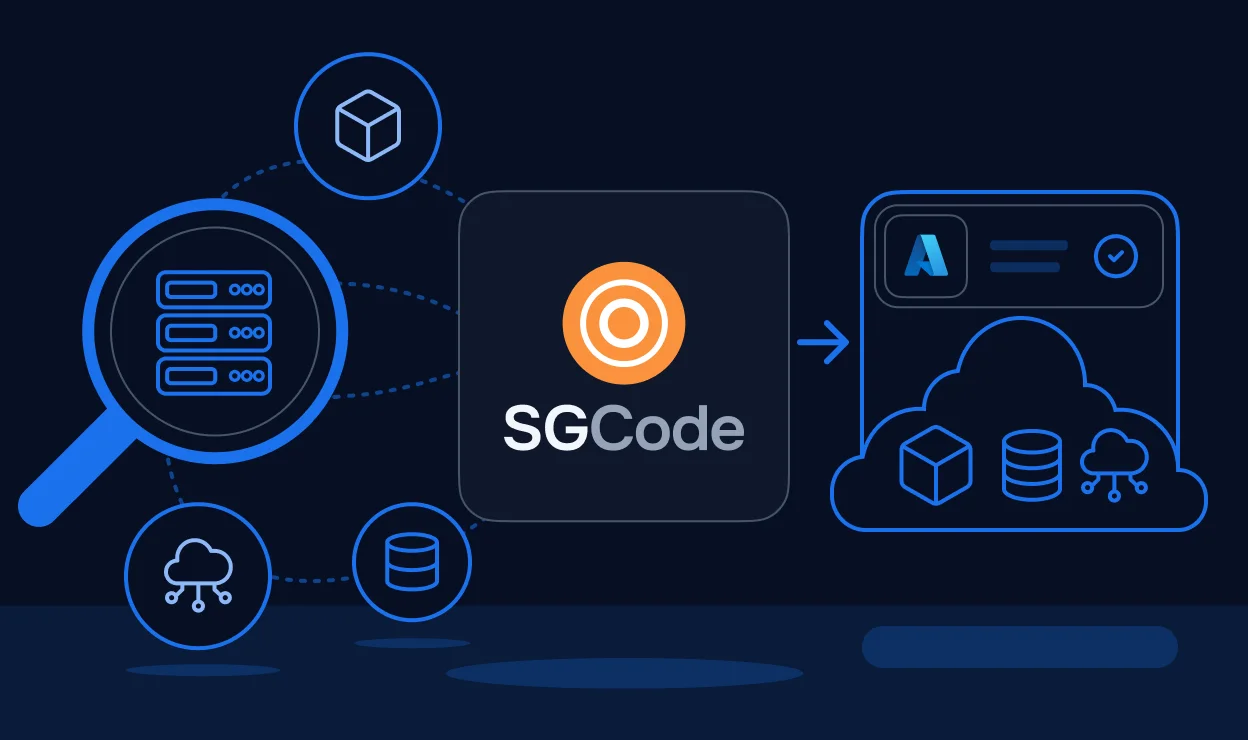
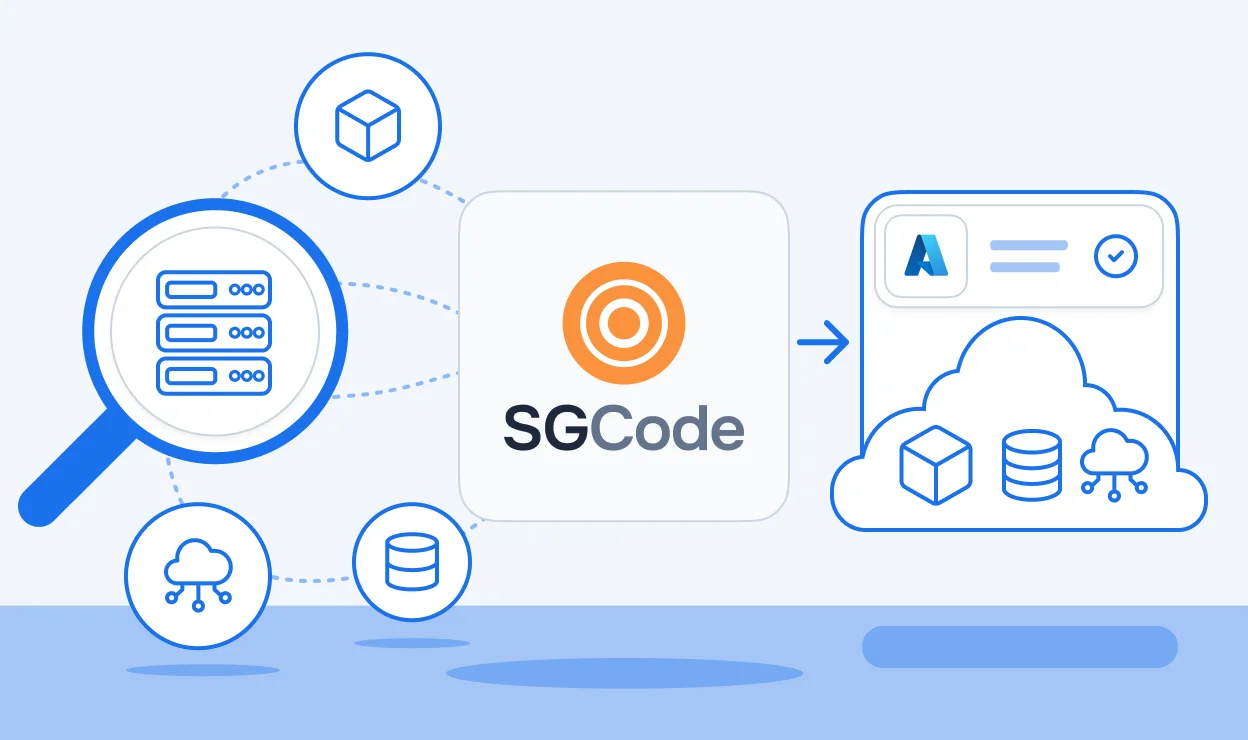
Modern Account Vending Machines provide the foundation for scalable cloud isolation, but building and maintaining them often requires stitching together workflow orchestration, policy enforcement, drift detection, and self-service interfaces across multiple tools. StackGuardian consolidates these capabilities into a unified control plane, enabling platform teams to deliver secure, governed developer environments without maintaining bespoke automation pipelines. With SGCode, teams can codify existing infrastructure and enforce consistent baselines across every account; SGOrchestrator enables policy-aware self-service workflows that scale safely with developer demand. The result is faster onboarding, reduced operational overhead, and a multi-account architecture that remains secure, observable, and fully governed by design.
Pilot approach: Start with 10 accounts and 5 developers over a 30-day window. This validates the full lifecycle — request, use, cleanup, and re-assignment — without over-investing before the pattern is proven in your environment.
What to measure:
Resources:
[Author bio placeholder]
Modern engineering organizations face a recurring tension: developers need isolated cloud environments to experiment freely, but provisioning those environments manually creates platform team bottlenecks and governance gaps.
An AWS Account Vending Machine (AVM) solves this with automated, self-service account lifecycle management. Each developer gets a dedicated AWS account — not a shared VPC, not a namespace — providing true isolation at the IAM, billing, and security boundary level. AWS accounts are analogous to Azure Subscriptions and GCP Projects (full billing and identity boundary), not Azure Resource Groups, which offer no security isolation.
The business case rests on four pillars:
The solution uses two Terraform stacks orchestrated by StackGuardian:
AWS Organization (root)
├── Management Account                      ← Stack 1: control plane
│   ├── SSM Parameter Store                (/account-vending/pool + locks)
│   ├── ECS Fargate cluster                (cleanup tasks)
│   └── EventBridge rule                   (DeleteParameter → ECS trigger)
└── Account Pool OU
    ├── Sandbox Account 001                 ← Stack 2: baseline per account
    ├── Sandbox Account 002
    └── ...
StackGuardian serves as the orchestration and compliance layer: it runs the Terraform workflows, enforces Tirith policies before every apply, provides the self-service developer portal, and continuously monitors accounts for configuration drift.
SSM-based allocation: A single SSM parameter at /account-vending/pool holds the list of all account IDs managed by the AVM. Individual lock parameters at /account-vending/locks/<account-id> mark accounts as in-use. Stack 2 owns the full selection cycle: it reads the pool, filters out any account that already has a lock, claims the first available one by creating its lock parameter, then proceeds with provisioning. This keeps all allocation logic inside the provisioning workflow with no custom orchestration services. Note that SSM Parameter Store has no conditional write API, so this is a soft lock rather than an atomic compare-and-swap — workflows should be serialized at the queue level to prevent concurrent requests from selecting the same account. For a hard atomic lock, replace the SSM lock with a DynamoDB PutItem using a ConditionExpression.
Cleanup trigger: When a developer deletes their SSM parameter, EventBridge detects the CloudTrail DeleteParameter event and targets an ECS Fargate task directly — no Lambda intermediary required.
Stack 1 declares a single SSM parameter that lists every account ID in the pool. Stack 2 reads this parameter at provisioning time to discover candidates; Stack 1 never touches individual lock parameters.
variable "account_pool_ids" {
  type        = list(string)
  description = "All account IDs managed by this AVM"
}

resource "aws_ssm_parameter" "account_pool" {
  name  = "/account-vending/pool"
  type  = "StringList"
  value = join(",", var.account_pool_ids)

  tags = {
    ManagedBy   = "StackGuardian"
    Environment = "management"
  }
}
Account selection and lock acquisition happen entirely inside Stack 2 — covered in the next section.
When Stack 2 deletes a lock parameter to return an account to the pool, EventBridge captures the CloudTrail event and launches the ECS Fargate cleanup task directly — no manual step required:
resource "aws_cloudwatch_event_rule" "cleanup_trigger" {
  name        = "avm-cleanup-on-lock-delete"
  description = "Trigger ECS cleanup when an account lock parameter is deleted"

  event_pattern = jsonencode({
    source        = ["aws.ssm"]
    "detail-type" = ["AWS API Call via CloudTrail"]
    detail = {
      eventSource = ["ssm.amazonaws.com"]
      eventName   = ["DeleteParameter"]
      requestParameters = {
        name = [{ prefix = "/account-vending/locks/" }]
      }
    }
  })
}

resource "aws_cloudwatch_event_target" "cleanup_ecs" {
  rule      = aws_cloudwatch_event_rule.cleanup_trigger.name
  target_id = "avm-cleanup-ecs"
  arn       = aws_ecs_cluster.cleanup.arn
  role_arn  = aws_iam_role.eventbridge_ecs_role.arn

  ecs_target {
    task_definition_arn = aws_ecs_task_definition.cleanup.arn
    launch_type         = "FARGATE"
    network_configuration {
      subnets          = var.private_subnet_ids
      assign_public_ip = false
    }
  }

  input_transformer {
    input_paths = {
      param_name = "$.detail.requestParameters.name"
    }
    input_template = jsonencode({
      containerOverrides = [{
        name = "cleanup"
        environment = [{
          name  = "LOCK_PARAMETER_NAME"
          value = "<param_name>"
        }]
      }]
    })
  }
}
Prerequisite: CloudTrail must be enabled for management events in the region where parameters are deleted.
The cleanup container receives LOCK_PARAMETER_NAME, extracts the account ID from the parameter path, assumes OrganizationAccountAccessRole in the target account, and removes all developer-created resources. Most production implementations use cloud-nuke or aws-nuke as the underlying tool rather than a bespoke script — they handle resource ordering, retries, and cross-region fan-out out of the box. A minimal entrypoint looks like:
#!/usr/bin/env bash
set -euo pipefail

ACCOUNT_ID=$(echo "$LOCK_PARAMETER_NAME" | cut -d'/' -f4)

# Assume OrganizationAccountAccessRole in the target account
CREDS=$(aws sts assume-role \\
  --role-arn "arn:aws:iam::${ACCOUNT_ID}:role/OrganizationAccountAccessRole" \\
  --role-session-name "avm-cleanup-${ACCOUNT_ID}")

export AWS_ACCESS_KEY_ID=$(echo "$CREDS" | jq -r '.Credentials.AccessKeyId')
export AWS_SECRET_ACCESS_KEY=$(echo "$CREDS" | jq -r '.Credentials.SecretAccessKey')
export AWS_SESSION_TOKEN=$(echo "$CREDS" | jq -r '.Credentials.SessionToken')

# Delete developer resources, preserving baseline. Pass the hours elapsed since provisioning
# (recorded as an SSM parameter at account setup) so cloud-nuke only targets newer resources.
cloud-nuke aws --newer-than "${PROVISIONED_HOURS_AGO}h" --force

# No SSM update needed: Stack 2 deleted the lock before triggering this task,
# so the account is already available to the next provisioning workflow.
-newer-than takes a duration and filters to resources created within that window. Storing the provisioning timestamp in an SSM parameter at account setup and converting it to hours elapsed gives cloud-nuke the right cutoff, preserving the StackGuardianExecutionRole and security baseline. Alternatively, use -exclude-resource-type to explicitly skip baseline resource types (Config recorders, CloudTrail trails, etc.). The account is available for reassignment as soon as the lock parameter is deleted — the ECS task only handles resource cleanup, not pool bookkeeping.Every Stack 2 run starts by reading the pool parameter from Stack 1 and checking which accounts are already locked. The first unlocked account is claimed by creating its lock parameter; provisioning proceeds with that account as the target.
# Read the full list of pool accounts from Stack 1
data "aws_ssm_parameter" "account_pool" {
  name = "/account-vending/pool"
}

# Discover which accounts are already allocated
data "aws_ssm_parameters_by_path" "locks" {
  path = "/account-vending/locks/"
}

locals {
  all_account_ids = split(",", data.aws_ssm_parameter.account_pool.value)

  locked_account_ids = [
    for name in data.aws_ssm_parameters_by_path.locks.names :
    element(split("/", name), 3)  # extract account ID from path
  ]

  available_account_ids = [
    for id in local.all_account_ids :
    id if !contains(local.locked_account_ids, id)
  ]

  selected_account_id = (
    length(local.available_account_ids) > 0 ? local.available_account_ids[0] : null
  )
}

# Claim the account by creating its lock
resource "aws_ssm_parameter" "lock" {
  count = local.selected_account_id != null ? 1 : 0

  name  = "/account-vending/locks/${local.selected_account_id}"
  type  = "String"
  value = var.workflow_id

  tags = {
    ManagedBy = "StackGuardian"
  }
}
StackGuardian passes local.selected_account_id as an input variable to the rest of the Stack 2 workflow, which uses it to configure the AWS provider's assume_role target for cross-account resource creation. When the account is returned to the pool, Stack 2 destroys the aws_ssm_parameter.lock resource — which fires the EventBridge rule and starts ECS cleanup automatically.
Every provisioned account needs a cross-account role so StackGuardian can manage resources in it. This role is created first, before any other baseline resources.
variable "stackguardian_principal_account_id" {
  type        = string
  description = "AWS account ID of the StackGuardian platform"
}

variable "stackguardian_external_id" {
  type      = string
  sensitive = true
}

resource "aws_iam_role" "stackguardian_execution_role" {
  name        = "StackGuardianExecutionRole"
  description = "Role assumed by StackGuardian for cross-account provisioning"

  assume_role_policy = jsonencode({
    Version = "2012-10-17"
    Statement = [{
      Sid    = "AllowStackGuardianAssumeRole"
      Effect = "Allow"
      Principal = {
        # IAM is a global service; region field is empty, hence the double colon in the ARN.
        AWS = "arn:aws:iam::${var.stackguardian_principal_account_id}:root"
      }
      Action = "sts:AssumeRole"
      Condition = {
        StringEquals = {
          "sts:ExternalId" = var.stackguardian_external_id
        }
      }
    }]
  })

  tags = {
    ManagedBy = "StackGuardian"
  }
}

resource "aws_iam_role_policy_attachment" "execution_role_admin" {
  role       = aws_iam_role.stackguardian_execution_role.name
  # For AWS-managed policies, "aws" occupies the account-id field in the ARN.
  policy_arn = "arn:aws:iam::aws:policy/AdministratorAccess"
}
The ExternalId condition prevents the confused deputy problem: only the StackGuardian platform, presenting the correct external ID, can assume this role.
resource "aws_iam_role" "developer_role" {
  name = "DeveloperRole"

  assume_role_policy = jsonencode({
    Version = "2012-10-17"
    Statement = [{
      Effect    = "Allow"
      Principal = { AWS = "arn:aws:iam::${var.identity_account_id}:root" }
      Action    = "sts:AssumeRole"
      Condition = { Bool = { "aws:MultiFactorAuthPresent" = "true" } }
    }]
  })
}

resource "aws_iam_role_policy_attachment" "developer_power_user" {
  role       = aws_iam_role.developer_role.name
  policy_arn = "arn:aws:iam::aws:policy/PowerUserAccess"
}
PowerUserAccess allows developers to provision most AWS services while blocking IAM, billing, and account-level changes. They cannot delete the baseline security services or modify the StackGuardianExecutionRole.
Every account is configured with four services on day one:
These four services are protected by a Service Control Policy that prevents their deletion or modification by the developer role.
resource "aws_budgets_budget" "sandbox" {
  name         = "sandbox-monthly"
  budget_type  = "COST"
  limit_amount = var.monthly_budget_usd
  limit_unit   = "USD"
  time_unit    = "MONTHLY"

  notification {
    comparison_operator        = "GREATER_THAN"
    threshold                  = 80
    threshold_type             = "PERCENTAGE"
    notification_type          = "ACTUAL"
    subscriber_email_addresses = [var.developer_email]
  }

  notification {
    comparison_operator        = "GREATER_THAN"
    threshold                  = 100
    threshold_type             = "PERCENTAGE"
    notification_type          = "FORECASTED"
    subscriber_email_addresses = [var.developer_email, var.team_lead_email]
  }
}
Each account receives a VPC (default CIDR 10.0.0.0/16) with public and private subnets across two availability zones, and a baseline S3 bucket with AES-256 server-side encryption and all public access block settings enabled. Required tags (Environment, Owner, CostCenter) are enforced by Tirith before any resource is created.
The developer provisions resources freely within the account. StackGuardian continuously monitors for configuration drift. If resources are modified outside of Terraform (e.g., a manual change that disables GuardDuty), drift is flagged in the StackGuardian dashboard. CloudTrail logs all API calls to the central logging account; the developer cannot disable or delete this trail.
DeleteParameter event within seconds and launches the ECS Fargate cleanup task.OrganizationAccountAccessRole in the target account and removes all developer-created resources in parallel.Total cleanup time: 20–45 minutes depending on resource volume.
Tirith is StackGuardian's policy engine. Policies are JSON documents evaluated against the Terraform plan before apply. If any evaluator fails, the workflow is blocked and the developer receives a descriptive error message — no resources are created.
{
  "meta": {
    "required_provider": "stackguardian/terraform_plan",
    "version": "v1"
  },
  "evaluators": [
    {
      "id": "s3_encryption_algorithm",
      "description": "All S3 buckets must use AES256 or aws:kms encryption",
      "provider_args": {
        "operation_type": "attribute",
        "terraform_resource_type": "aws_s3_bucket_server_side_encryption_configuration",
        "terraform_resource_attribute": "rule"
      },
      "condition": {
        "type": "Contains",
        "value": "apply_server_side_encryption_by_default",
        "error_message": "S3 bucket is missing a server-side encryption configuration"
      }
    }
  ],
  "eval_expression": "s3_encryption_algorithm"
}
The Contains condition on a tags attribute checks whether the tag map includes the specified key-value pair. Replace the example values below with your organization's actual expected values. If you only need to assert that a key is present with any value, consult the Tirith condition reference — an Exists-type evaluator may be more appropriate for that case.
{
  "meta": {
    "required_provider": "stackguardian/terraform_plan",
    "version": "v1"
  },
  "evaluators": [
    {
      "id": "tag_environment",
      "description": "All resources must be tagged Environment=sandbox",
      "provider_args": {
        "operation_type": "attribute",
        "terraform_resource_type": "*",
        "terraform_resource_attribute": "tags"
      },
      "condition": {
        "type": "Contains",
        "value": { "Environment": "sandbox" },
        "error_message": "Missing required tag: Environment=sandbox"
      }
    },
    {
      "id": "tag_owner",
      "description": "All resources must be tagged with an Owner (replace with your team identifier)",
      "provider_args": {
        "operation_type": "attribute",
        "terraform_resource_type": "*",
        "terraform_resource_attribute": "tags"
      },
      "condition": {
        "type": "Contains",
        "value": { "Owner": "platform-team@example.com" },
        "error_message": "Missing required tag: Owner — set to your team email"
      }
    },
    {
      "id": "tag_costcenter",
      "description": "All resources must be tagged with a CostCenter (replace with your cost center code)",
      "provider_args": {
        "operation_type": "attribute",
        "terraform_resource_type": "*",
        "terraform_resource_attribute": "tags"
      },
      "condition": {
        "type": "Contains",
        "value": { "CostCenter": "ENG-001" },
        "error_message": "Missing required tag: CostCenter — set to your cost center code"
      }
    }
  ],
  "eval_expression": "tag_environment && tag_owner && tag_costcenter"
}
Scope note: The resource_type filter below limits cost estimation to three resource types. A developer spinning up a large NAT Gateway, EKS cluster, or Redshift instance would not be counted. Expand this list for your environment, or omit the filter entirely to evaluate total estimated cost across all resources (verify whether your Tirith version supports that).{
"meta": {
"required_provider": "stackguardian/infracost",
"version": "v1"
},
"evaluators": [
{
"id": "monthly_cost_under_budget",
"description": "Estimated monthly cost must not exceed sandbox budget. Expand resource_type to cover all billable resources in your environment.",
"provider_args": {
"operation_type": "total_monthly_cost",
"resource_type": ["aws_instance", "aws_rds_cluster", "aws_elasticache_cluster"]
},
"condition": {
"type": "LessThanEqualTo",
"value": 500,
"error_message": "Estimated monthly cost exceeds the $500 sandbox budget"
}
}
],
"eval_expression": "monthly_cost_under_budget"
}
These three policies are attached to the Stack 2 workflow in StackGuardian. The provisioning sequence is: terraform plan → Tirith evaluates all policies → if all pass → terraform apply. Non-compliant configurations never reach AWS.
Pool Size = (Peak Concurrent Users × 1.2) + Cleanup Buffer
Cleanup Buffer = (Average Cleanup Minutes / 60) × Peak Concurrent Users
Example: 50 peak users, 30-minute average cleanup:(50 × 1.2) + ((30/60) × 50) = 60 + 25 = 85 accounts
The 1.2 multiplier handles concurrency spikes; the cleanup buffer ensures accounts being recycled don't leave a capacity gap.
ComponentCost per AccountNotesAWS Config$2–5/monthFirst 100k configuration items freeGuardDuty$5–10/monthBased on CloudTrail + VPC flow log volumeSecurity Hub (CIS)$3–5/monthPer-check pricingECS cleanup task~$0.05 per run30 min, 0.25 vCPU (256 CPU units), 512 MB
For a 50-account pool: ~$500–1,000/month in baseline infrastructure, plus developer workload spend.
These three techniques reduce cleanup time from 90+ minutes (sequential) to 20–30 minutes for typical development workloads.
The architecture separates concerns into three roles:
RolePrincipalPermissionsStackGuardianExecutionRoleStackGuardian platformAdministratorAccess in sandbox (provisioning only)DeveloperRoleIdentity account (SSO)PowerUserAccess (no IAM, billing, or account settings)OrganizationAccountAccessRoleManagement accountAdministratorAccess (scoped to cleanup session duration)
Every action is logged at two levels: AWS CloudTrail captures all API calls from all three roles, stored in an immutable central logging account that developers cannot access. StackGuardian workflow history records every plan, apply, and policy evaluation with the requesting user's identity, giving a complete chain of custody from "developer clicked Request" to "account returned to pool."
Sandbox VPCs are not peered with production networks. Outbound internet access uses NAT Gateway (for package installs) with no inbound rules permitted by default. AWS service calls use VPC endpoints where possible, keeping API traffic off the public internet and reducing data transfer costs.
Modern Account Vending Machines provide the foundation for scalable cloud isolation, but building and maintaining them often requires stitching together workflow orchestration, policy enforcement, drift detection, and self-service interfaces across multiple tools. StackGuardian consolidates these capabilities into a unified control plane, enabling platform teams to deliver secure, governed developer environments without maintaining bespoke automation pipelines. With SGCode, teams can codify existing infrastructure and enforce consistent baselines across every account; SGOrchestrator enables policy-aware self-service workflows that scale safely with developer demand. The result is faster onboarding, reduced operational overhead, and a multi-account architecture that remains secure, observable, and fully governed by design.
Pilot approach: Start with 10 accounts and 5 developers over a 30-day window. This validates the full lifecycle — request, use, cleanup, and re-assignment — without over-investing before the pattern is proven in your environment.
What to measure:
Resources:
[Author bio placeholder]
Modern engineering organizations face a recurring tension: developers need isolated cloud environments to experiment freely, but provisioning those environments manuallys creates platform team bottlenecks and governance gaps.
An AWS Account Vending Machine (AVM) solves this with automated, self-service account lifecycle management. Each developer gets a dedicated AWS account — not a shared VPC, not a namespace — providing true isolation at the IAM, billing, and security boundary level. AWS accounts are analogous to Azure Subscriptions and GCP Projects (full billing and identity boundary), not Azure Resource Groups, which offer no security isolation.
The business case rests on four pillars:
The solution uses two Terraform stacks orchestrated by StackGuardian:
AWS Organization (root)
└── Management Account          ← Stack 1: control plane
    ├── ECS Fargate cluster     (cleanup tasks)
    ├── SSM Parameter Store     (soft semaphore per account)
    └── EventBridge rule        (DeleteParameter → ECS trigger)

└── Account Pool OU
    ├── Sandbox Account 001     ← Stack 2: baseline per account
    ├── Sandbox Account 002
    └── ...
StackGuardian serves as the orchestration and compliance layer: it runs the Terraform workflows, enforces Tirith cost and compliance policies before every apply, provides the self-service developer portal, and continuously monitors accounts for configuration drift.
SSM as a soft semaphore: Each account has a parameter at /account-vending/locks/<account-id>. A value of "available" means the account is free; any other value means it is in use. The lifecycle { ignore_changes } block prevents Terraform from overwriting the runtime state on subsequent runs — this is a soft lock, not an atomic compare-and-swap (SSM Parameter Store has no conditional write API). To prevent a TOCTOU race where two concurrent requests select the same account, workflows must be serialized at the queue level (verify this behavior in your StackGuardian configuration before going to production). If concurrent execution is required, replace the SSM semaphore with a DynamoDB table using a ConditionExpression on PutItem for a true atomic lock.
Cleanup trigger: When a developer deletes their SSM parameter, EventBridge detects the CloudTrail DeleteParameter event and targets an ECS Fargate task directly — no Lambda intermediary required.
variable "account_pool_ids" {
  type = list(string)
}

resource "aws_ssm_parameter" "account_lock" {
  for_each = toset(var.account_pool_ids)

  name  = "/account-vending/locks/${each.key}"
  type  = "String"
  value = "available"

  lifecycle {
    ignore_changes = [value]
  }

  tags = {
    ManagedBy   = "StackGuardian"
    Environment = "management"
  }
}
ignore_changes = [value] is the key: Terraform creates the parameter with "available" on first apply, then leaves the value alone on every subsequent run. The StackGuardian workflow updates the value to the workflow ID at runtime, and Terraform never reverts it.
data "aws_ssm_parameter" "locks" {
  for_each = toset(var.account_pool_ids)
  name     = "/account-vending/locks/${each.key}"
}

locals {
  available_accounts = [
    for id in var.account_pool_ids :
    id if data.aws_ssm_parameter.locks[id].value == "available"
  ]

  selected_account_id = (
    length(local.available_accounts) > 0 ? local.available_accounts[0] : null
  )
}
No Lambda function is needed: Terraform data sources read the SSM state and a local filter selects the first available account. All orchestration logic lives in Terraform and StackGuardian’s workflow engine. StackGuardian passes local.selected_account_id as an input variable to the Stack 2 workflow, which uses it to configure the AWS provider’s assume_role target for cross-account resource creation.
When the developer deletes the SSM lock parameter, EventBridge captures the CloudTrail event and launches the ECS Fargate cleanup task directly:
resource "aws_cloudwatch_event_rule" "cleanup_trigger" {
  name        = "avm-cleanup-on-lock-delete"
  description = "Trigger ECS cleanup when an account lock parameter is deleted"

  event_pattern = jsonencode({
    source        = ["aws.ssm"]
    "detail-type" = ["AWS API Call via CloudTrail"]
    detail = {
      eventSource = ["ssm.amazonaws.com"]
      eventName   = ["DeleteParameter"]
      requestParameters = {
        name = [{ prefix = "/account-vending/locks/" }]
      }
    }
  })
}

resource "aws_cloudwatch_event_target" "cleanup_ecs" {
  rule      = aws_cloudwatch_event_rule.cleanup_trigger.name
  target_id = "avm-cleanup-ecs"
  arn       = aws_ecs_cluster.cleanup.arn
  role_arn  = aws_iam_role.eventbridge_ecs_role.arn

  ecs_target {
    task_definition_arn = aws_ecs_task_definition.cleanup.arn
    launch_type         = "FARGATE"
    network_configuration {
      subnets          = var.private_subnet_ids
      assign_public_ip = false
    }
  }

  input_transformer {
    input_paths = {
      param_name = "$.detail.requestParameters.name"
    }
    input_template = jsonencode({
      containerOverrides = [{
        name = "cleanup"
        environment = [{
          name  = "LOCK_PARAMETER_NAME"
          value = "<param_name>"
        }]
      }]
    })
  }
}
Prerequisite: CloudTrail must be enabled for management events in the region where parameters are deleted.
The cleanup container receives LOCK_PARAMETER_NAME, extracts the account ID from the parameter path, assumes OrganizationAccountAccessRole in the target account, and removes all developer-created resources. Most production implementations use cloud-nuke or aws-nuke as the underlying tool rather than a bespoke script — they handle resource ordering, retries, and cross-region fan-out out of the box. A minimal entrypoint looks like:
#!/usr/bin/env bash
set -euo pipefail

ACCOUNT_ID=$(echo "$LOCK_PARAMETER_NAME" | cut -d'/' -f4)

# Assume OrganizationAccountAccessRole in the target account
CREDS=$(aws sts assume-role \
  --role-arn "arn:aws:iam::${ACCOUNT_ID}:role/OrganizationAccountAccessRole" \
  --role-session-name "avm-cleanup-${ACCOUNT_ID}")

export AWS_ACCESS_KEY_ID=$(echo "$CREDS" | jq -r '.Credentials.AccessKeyId')
export AWS_SECRET_ACCESS_KEY=$(echo "$CREDS" | jq -r '.Credentials.SecretAccessKey')
export AWS_SESSION_TOKEN=$(echo "$CREDS" | jq -r '.Credentials.SessionToken')

# Delete developer resources, preserving baseline. Pass the hours elapsed since provisioning
# (recorded as an SSM parameter at account setup) so cloud-nuke only targets newer resources.
cloud-nuke aws --newer-than "${PROVISIONED_HOURS_AGO}h" --force

# Return account to pool
aws ssm put-parameter \
  --name "$LOCK_PARAMETER_NAME" \
  --value "available" \
  --type String \
  --overwrite
-newer-than takes a duration and filters to resources created within that window. Storing the provisioning timestamp in an SSM parameter at account setup and converting it to hours elapsed gives cloud-nuke the right cutoff, preserving the StackGuardianExecutionRole and security baseline. Alternatively, use -exclude-resource-type to explicitly skip baseline resource types (Config recorders, CloudTrail trails, etc.).Every provisioned account needs a cross-account role so StackGuardian can manage resources in it. This role is created first, before any other baseline resources.
variable "stackguardian_principal_account_id" {
  type        = string
  description = "AWS account ID of the StackGuardian platform"
}

variable "stackguardian_external_id" {
  type      = string
  sensitive = true
}

resource "aws_iam_role" "stackguardian_execution_role" {
  name        = "StackGuardianExecutionRole"
  description = "Role assumed by StackGuardian for cross-account provisioning"

  assume_role_policy = jsonencode({
    Version = "2012-10-17"
    Statement = [{
      Sid    = "AllowStackGuardianAssumeRole"
      Effect = "Allow"
      Principal = {
        # IAM is a global service; region field is empty, hence the double colon in the ARN.
        AWS = "arn:aws:iam::${var.stackguardian_principal_account_id}:root"
      }
      Action = "sts:AssumeRole"
      Condition = {
        StringEquals = {
          "sts:ExternalId" = var.stackguardian_external_id
        }
      }
    }]
  })

  tags = {
    ManagedBy = "StackGuardian"
  }
}

resource "aws_iam_role_policy_attachment" "execution_role_admin" {
  role       = aws_iam_role.stackguardian_execution_role.name
  # For AWS-managed policies, "aws" occupies the account-id field in the ARN.
  policy_arn = "arn:aws:iam::aws:policy/AdministratorAccess"
}
The ExternalId condition prevents the confused deputy problem: only the StackGuardian platform, presenting the correct external ID, can assume this role.
resource "aws_iam_role" "developer_role" {
  name = "DeveloperRole"

  assume_role_policy = jsonencode({
    Version = "2012-10-17"
    Statement = [{
      Effect    = "Allow"
      Principal = { AWS = "arn:aws:iam::${var.identity_account_id}:root" }
      Action    = "sts:AssumeRole"
      Condition = { Bool = { "aws:MultiFactorAuthPresent" = "true" } }
    }]
  })
}

resource "aws_iam_role_policy_attachment" "developer_power_user" {
  role       = aws_iam_role.developer_role.name
  policy_arn = "arn:aws:iam::aws:policy/PowerUserAccess"
}
PowerUserAccess allows developers to provision most AWS services while blocking IAM, billing, and account-level changes. They cannot delete the baseline security services or modify the StackGuardianExecutionRole.
Every account is configured with four services on day one:
These four services are protected by a Service Control Policy that prevents their deletion or modification by the developer role.
resource "aws_budgets_budget" "sandbox" {
  name         = "sandbox-monthly"
  budget_type  = "COST"
  limit_amount = var.monthly_budget_usd
  limit_unit   = "USD"
  time_unit    = "MONTHLY"

  notification {
    comparison_operator        = "GREATER_THAN"
    threshold                  = 80
    threshold_type             = "PERCENTAGE"
    notification_type          = "ACTUAL"
    subscriber_email_addresses = [var.developer_email]
  }

  notification {
    comparison_operator        = "GREATER_THAN"
    threshold                  = 100
    threshold_type             = "PERCENTAGE"
    notification_type          = "FORECASTED"
    subscriber_email_addresses = [var.developer_email, var.team_lead_email]
  }
}
Each account receives a VPC (default CIDR 10.0.0.0/16) with public and private subnets across two availability zones, and a baseline S3 bucket with AES-256 server-side encryption and all public access block settings enabled. Required tags (Environment, Owner, CostCenter) are enforced by Tirith policies before any resource is created.
"available" to the workflow ID.The developer provisions resources freely within the account. StackGuardian continuously monitors for configuration drift. If resources are modified outside of Terraform (e.g., a manual change that disables GuardDuty), drift is flagged in the StackGuardian dashboard. CloudTrail logs all API calls to the central logging account; the developer cannot disable or delete this trail.
DeleteParameter event within seconds.OrganizationAccountAccessRole in the target account, and removes all developer-created resources in parallel."available", returning the account to the pool.Total cleanup time: 20–45 minutes depending on resource volume.
Tirith is StackGuardian’s policy engine. Policies are JSON documents evaluated against the Terraform plan before apply. If any evaluator fails, the workflow is blocked and the developer receives a descriptive error message — no resources are created.
{
  "meta": {
    "required_provider": "stackguardian/terraform_plan",
    "version": "v1"
  },
  "evaluators": [
    {
      "id": "s3_encryption_algorithm",
      "description": "All S3 buckets must use AES256 or aws:kms encryption",
      "provider_args": {
        "operation_type": "attribute",
        "terraform_resource_type": "aws_s3_bucket_server_side_encryption_configuration",
        "terraform_resource_attribute": "rule"
      },
      "condition": {
        "type": "Contains",
        "value": "apply_server_side_encryption_by_default",
        "error_message": "S3 bucket is missing a server-side encryption configuration"
      }
    }
  ],
  "eval_expression": "s3_encryption_algorithm"
}
The Contains condition on a tags attribute checks whether the tag map includes the specified key-value pair. Replace the example values below with your organization’s actual expected values. If you only need to assert that a key is present with any value, consult the Tirith condition reference — an Exists-type evaluator may be more appropriate for that case.
{
  "meta": {
    "required_provider": "stackguardian/terraform_plan",
    "version": "v1"
  },
  "evaluators": [
    {
      "id": "tag_environment",
      "description": "All resources must be tagged Environment=sandbox",
      "provider_args": {
        "operation_type": "attribute",
        "terraform_resource_type": "*",
        "terraform_resource_attribute": "tags"
      },
      "condition": {
        "type": "Contains",
        "value": { "Environment": "sandbox" },
        "error_message": "Missing required tag: Environment=sandbox"
      }
    },
    {
      "id": "tag_owner",
      "description": "All resources must be tagged with an Owner (replace with your team identifier)",
      "provider_args": {
        "operation_type": "attribute",
        "terraform_resource_type": "*",
        "terraform_resource_attribute": "tags"
      },
      "condition": {
        "type": "Contains",
        "value": { "Owner": "platform-team@example.com" },
        "error_message": "Missing required tag: Owner — set to your team email"
      }
    },
    {
      "id": "tag_costcenter",
      "description": "All resources must be tagged with a CostCenter (replace with your cost center code)",
      "provider_args": {
        "operation_type": "attribute",
        "terraform_resource_type": "*",
        "terraform_resource_attribute": "tags"
      },
      "condition": {
        "type": "Contains",
        "value": { "CostCenter": "ENG-001" },
        "error_message": "Missing required tag: CostCenter — set to your cost center code"
      }
    }
  ],
  "eval_expression": "tag_environment && tag_owner && tag_costcenter"
}
Scope note: The resource_type filter below limits cost estimation to three resource types. A developer spinning up a large NAT Gateway, EKS cluster, or Redshift instance would not be counted. Expand this list for your environment, or omit the filter entirely to evaluate total estimated cost across all resources (verify whether your Tirith version supports that).{
"meta": {
"required_provider": "stackguardian/infracost",
"version": "v1"
},
"evaluators": [
{
"id": "monthly_cost_under_budget",
"description": "Estimated monthly cost must not exceed sandbox budget. Expand resource_type to cover all billable resources in your environment.",
"provider_args": {
"operation_type": "total_monthly_cost",
"resource_type": ["aws_instance", "aws_rds_cluster", "aws_elasticache_cluster"]
},
"condition": {
"type": "LessThanEqualTo",
"value": 500,
"error_message": "Estimated monthly cost exceeds the $500 sandbox budget"
}
}
],
"eval_expression": "monthly_cost_under_budget"
}
These three policies are attached to the Stack 2 workflow in StackGuardian. The provisioning sequence is: terraform plan → Tirith evaluates all policies → if all pass → terraform apply. Non-compliant configurations never reach AWS.
Pool Size = (Peak Concurrent Users × 1.2) + Cleanup Buffer
Cleanup Buffer = (Average Cleanup Minutes / 60) × Peak Concurrent Users
Example: 50 peak users, 30-minute average cleanup:(50 × 1.2) + ((30/60) × 50) = 60 + 25 = 85 accounts
The 1.2 multiplier handles concurrency spikes; the cleanup buffer ensures accounts being recycled don’t leave a capacity gap.
ComponentCost per AccountNotesAWS Config$2–5/monthFirst 100k configuration items freeGuardDuty$5–10/monthBased on CloudTrail + VPC flow log volumeSecurity Hub (CIS)$3–5/monthPer-check pricingECS cleanup task~$0.05 per run30 min, 0.25 vCPU (256 CPU units), 512 MB
For a 50-account pool: ~$500–1,000/month in baseline infrastructure, plus developer workload spend.
These three techniques reduce cleanup time from 90+ minutes (sequential) to 20–30 minutes for typical development workloads.
The architecture separates concerns into three roles:
RolePrincipalPermissionsStackGuardianExecutionRoleStackGuardian platformAdministratorAccess in sandbox (provisioning only)DeveloperRoleIdentity account (SSO)PowerUserAccess (no IAM, billing, or account settings)OrganizationAccountAccessRoleManagement accountAdministratorAccess (scoped to cleanup session duration)
Every action is logged at two levels: AWS CloudTrail captures all API calls from all three roles, stored in an immutable central logging account that developers cannot access. StackGuardian workflow history records every plan, apply, and policy evaluation with the requesting user’s identity, giving a complete chain of custody from “developer clicked Request” to “account returned to pool.”
Sandbox VPCs are not peered with production networks. Outbound internet access uses NAT Gateway (for package installs) with no inbound rules permitted by default. AWS service calls use VPC endpoints where possible, keeping API traffic off the public internet and reducing data transfer costs.
Pilot approach: Start with 10 accounts and 5 developers over a 30-day window. This validates the full lifecycle — request, use, cleanup, and re-assignment — without over-investing before the pattern is proven in your environment.
What to measure:
- Time-to-environment: target < 10 minutes from request to usable account
- Compliance rate: target > 95% of deployments passing Tirith on first attempt
- Cost per account per month: baseline services + average developer workload spend
Resources:
- StackGuardian documentation: docs.stackguardian.io
- Tirith policy reference: docs.stackguardian.io/docs/tirith
- AWS Account Vending Machine sample: github.com/aws-samples/aws-account-vending-machine