~0 min read

TL;DR
- terraform import brings a resource that already exists in the cloud into Terraform's state file, without creating, destroying, or modifying that resource in the process.
- The classic command only ever touches state. It never writes the matching .tf configuration, so that step stays manual. A configuration that doesn't match what got imported can quietly plan a destroy-and-recreate on the next run.
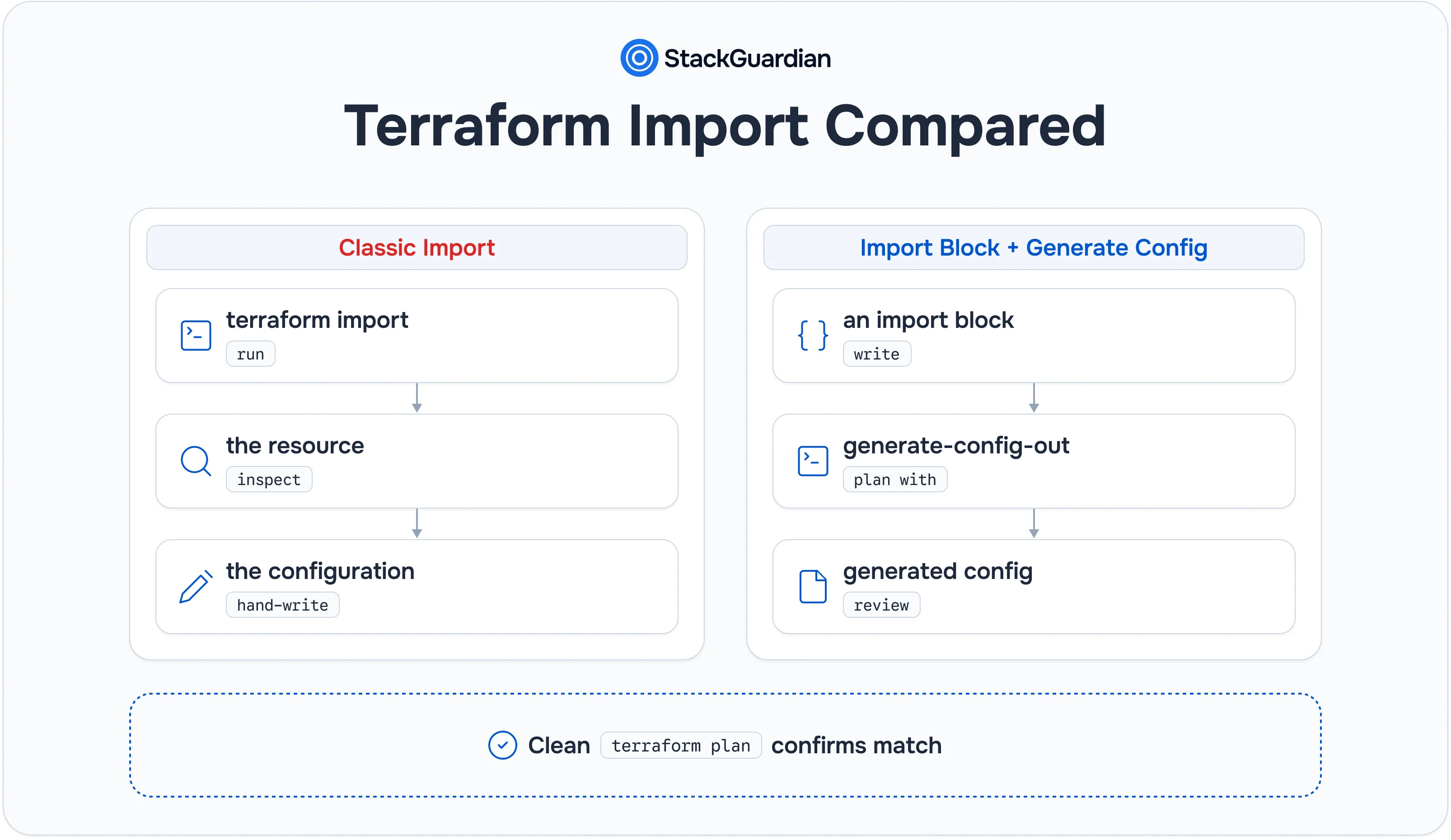
- Terraform 1.5 introduced import blocks and the -generate-config-out flag, turning import into a two-part workflow: a declarative, reviewable block plus generated configuration a human still has to check.
- Even with those additions, import remains scoped to resources a team already knows exist. It has no discovery mechanism of its own, so someone still has to supply the resource ID and type before anything happens.
- StackGuardian's SGCode addresses the piece import was never built for: finding unmanaged infrastructure across AWS, Azure, and GCP in the first place, then generating and validating the configuration for what it finds.
Every team running Terraform at any real scale eventually runs into the same problem: infrastructure exists that Terraform doesn't know about. Someone provisioned a resource through the console during an incident and never circled back. An account came in through an acquisition with no code to show for it. A script ran once, years ago, and nobody wrote the equivalent .tf file afterward. Terraform's state file only tracks what it was told to track. The gap between what is running and what state describes is a common source of drift, duplicate resources, and failed plans.
terraform import has been the standard answer to that gap since early Terraform versions, and it's still the command most people reach for first. This post covers what the classic import command does and does not do. It then explains how import blocks and generated configuration changed the workflow in Terraform 1.5, and which limitations remain. The last section shows how StackGuardian's SGCode approaches the same unmanaged-infrastructure problem from a different starting point.
What Terraform Import Does and Why Teams Need It
Terraform's state file is the source of truth it uses to map real infrastructure back to configuration. Every resource block in a .tf file corresponds to an entry in state, and every plan Terraform runs works by comparing that state against both the configuration and the actual state of the world. When a resource exists in the cloud but has no corresponding entry in state, Terraform can't know about it. It won't show up in a plan, it won't get tracked for drift, and if someone eventually writes a resource block that happens to describe it, Terraform will try to create a duplicate rather than recognizing the two as the same thing.
terraform import closes that gap. It takes a resource that already exists, such as an S3 bucket, a security group or a virtual machine. It then writes an entry for that resource into the state file, which associates a real cloud resource ID with a Terraform resource address. Nothing about the resource itself changes. No API call creates, modifies, or destroys anything in the cloud account. The only thing that changes is Terraform's own bookkeeping, moving a resource from "outside state" to "inside state" without touching what's actually running.
Import solves exactly one problem, which is getting a resource's identity into state. It was never designed to write the configuration that describes that resource, and for most of Terraform's history it didn't try to.
How the Classic Terraform Import Command Works
The original import workflow runs as a single CLI command against a resource address and a real-world resource ID:
terraform import aws_security_group.web sg-0a1b2c3d4e5f67890Here, aws_security_group.web is the resource address as it would appear in a .tf configuration, and sg-0a1b2c3d4e5f67890 is the actual security group ID from AWS. Running this command does exactly one thing: it writes a state entry linking that address to that ID.
Critically, this command has always required the resource block to already exist in the configuration, even as an empty placeholder, before the import runs:
resource "aws_security_group" "web" {
  # Terraform needs somewhere to attach the imported state.
  # This gets filled in manually after the import runs.
}
Once the import completes, running terraform plan immediately afterward shows the real gap in this workflow. The .tf file above defines no attributes, so Terraform's plan shows a long list of changes it thinks it needs to make. Nothing is wrong with the resource; the configuration simply doesn't describe its real settings yet. The person running the import has to manually inspect the resource, usually via terraform state show aws_security_group.web or the cloud console directly, and hand-write a configuration block that matches every attribute Terraform cares about. Only once that configuration matches does a plan come back clean.
This is the core weakness of the classic command: state and configuration can drift apart the moment the import finishes, and nothing catches that automatically. A wrong CIDR block, a missed tag or an attribute left at its default value shows up as an unexpected change in the plan. If the attribute forces replacement, that change becomes a destroy-and-recreate.
Resource Addressing Gets More Complicated Inside Modules and Loops
The examples above assume a flat, top-level resource, but real configurations rarely stay that simple, and the classic command's addressing syntax has to account for modules, count, and for_each at the exact moment of import.
A resource declared inside a child module needs its full module path in the address:
terraform import module.network.aws_vpc.main vpc-0f1e2d3c4b5a69788A resource declared with count needs its numeric index in square brackets:
terraform import 'aws_instance.web[0]' i-0abcd1234efgh5678And a resource declared with for_each needs its map key, quoted, inside the brackets:
terraform import 'aws_instance.web["primary"]' i-0abcd1234efgh5678Shells often need the whole address quoted because square brackets have special meaning to most shells; missing the quotes is a common source of "resource not found" errors that have nothing to do with the resource ID itself. Getting the address wrong doesn't always fail loudly. In some cases it silently imports into the wrong instance of a count or for_each resource, which then surfaces later as a confusing plan rather than an immediate error.
Import Blocks and Config Generation: What Changed
Terraform 1.5 introduced a meaningfully different way to run imports: the import block, written directly in .tf configuration rather than issued as a one-off CLI command. Paired with the -generate-config-out flag, this turned import from "write state, then manually reverse-engineer config" into "declare an intent to import, and let Terraform draft the configuration for you."
An import block looks like this:
import {
  to = aws_security_group.web
  id = "sg-0a1b2c3d4e5f67890"
}
Rather than running immediately like the CLI command, this block is evaluated the next time a plan runs. Combined with -generate-config-out, the plan step does something the classic command never could:
terraform plan -generate-config-out=generated.tfThis produces a new file, generated.tf, containing an actual resource block populated with the real attributes Terraform found on the existing security group, rather than the empty placeholder the classic workflow required a person to fill in by hand. The generated file is meant to be reviewed, cleaned up, and folded into the rest of the codebase, not applied blindly. Sensitive values, computed attributes, and anything the provider can't safely infer are typically left incomplete or commented, and a careful review is still the step that catches whether the generated block actually matches intent.
Two limits are worth knowing up front. HashiCorp shipped config generation as experimental in Terraform 1.5, and the plan command's documentation still labels it experimental. It is also described as a root-module option, so an import block that targets a resource inside a child module may still need its configuration written by hand.
The practical shift is real: instead of a person manually transcribing every attribute off a console screen, Terraform generates a first draft, and the human's job moves from writing configuration from scratch to reviewing and correcting a draft that's usually most of the way there. That's a meaningfully lower-effort and lower-error workflow than the classic command, particularly for resources with many attributes.
To see why that matters, it helps to look at what "matching configuration" actually requires for a resource with more than a couple of settings. An S3 bucket with versioning and server-side encryption enabled isn't just a bucket name; it's a nested set of sub-resources that all have to agree with what's actually configured in AWS:
resource "aws_s3_bucket" "assets" {
  bucket = "acme-prod-assets"
}

resource "aws_s3_bucket_versioning" "assets" {
  bucket = aws_s3_bucket.assets.id

  versioning_configuration {
    status = "Enabled"
  }
}

resource "aws_s3_bucket_server_side_encryption_configuration" "assets" {
  bucket = aws_s3_bucket.assets.id

  rule {
    apply_server_side_encryption_by_default {
      sse_algorithm = "aws:kms"
    }
  }
}
In both workflows, each of these three resources needs its own import, run against its own resource ID, because versioning and encryption are modeled as separate resources tied to the bucket rather than attributes on the bucket itself. Config generation doesn't find the sub-resources for you. Someone still has to know they exist and write an import block for each one. Getting an enum value like sse_algorithm slightly wrong produces a plan that looks like a minor edit but proposes changing the bucket's encryption. Where -generate-config-out helps is the attribute values: once each import block exists, it reads them from the provider instead of a person transcribing them across several console screens.
Importing Multiple Resources at Once with a for_each Import Block
Terraform 1.7 extended the import block itself with a for_each meta-argument, letting one block describe a whole batch of imports instead of writing one block per resource:
locals {
  existing_security_groups = {
    "web" = "sg-0a1b2c3d4e5f67890"
    "db"  = "sg-1b2c3d4e5f678901a"
  }
}

import {
  for_each = local.existing_security_groups
  to       = aws_security_group.this[each.key]
  id       = each.value
}
This narrows, without closing, the single-resource nature of import. A team still has to already know every resource ID and assemble that map before the block runs; for_each here batches known imports and doesn't discover unknown ones. That distinction between batching a known list and discovering an unknown one is the dividing line for everything that follows.
Where Terraform Import Still Falls Short
The import block and config generation improved the workflow. Several limitations carry over unchanged from the classic command, and the generated-config approach adds a few of its own.
Import still requires knowing the resource exists. Both the classic command and the import block need a resource address and a resource ID supplied up front. Neither one searches an account for untracked resources. If a team doesn't already know a resource is there, import can't help them find it. That's a discovery problem, and import was never built to solve discovery.
Generated configuration isn't guaranteed to be complete or correct. Provider support for config generation varies. Some attributes may come back blank, commented out, or set to a value that doesn't reflect the resource's actual configuration. The usual culprits are sensitive values, computed fields, and provider-specific settings. Treating generated output as final without review reintroduces the exact drift risk the classic workflow already carried.
It's still fundamentally single-resource, single-account. Even with import blocks, each one targets one resource. There's no built-in mechanism to sweep an entire AWS account, let alone reconcile findings across AWS, Azure, and GCP simultaneously. A large brownfield estate, such as years of console-created infrastructure across several cloud accounts, can mean dozens or hundreds of individual import blocks. Each one needs its own resource ID lookup first.
The failure mode is quiet, not loud. A mismatched import doesn't throw an error. It produces a plan that looks like a routine update or, worse, a resource replacement, and it's easy for that to slip through review if the reviewer doesn't already know the resource was recently imported and isn't yet fully verified against its generated configuration.
Errors Worth Recognizing Before They Cause Confusion
A handful of errors show up often enough during import work that it's worth knowing what they actually mean rather than treating each one as a fresh mystery.
"Resource already managed by Terraform." This fires when the target address in the import command or block already has a state entry, and Terraform refuses to overwrite an existing mapping rather than silently replacing it. It usually means either the resource was already imported earlier, or the address collides with something else already declared.
A plan proposing to destroy and recreate a resource immediately after import. This is almost always a configuration mismatch, not a state problem. An attribute that forces replacement, will trigger a destroy-and-recreate plan if the hand-written or generated configuration doesn't match what is running. Examples include an AMI ID, an availability zone, and certain networking fields. Running terraform plan immediately after every import, before touching anything else, is the single best habit for catching this before it reaches an apply.
Confusing import with the moved block. These solve different problems, and it's an easy mix-up. A moved block tells Terraform that a resource already in state has been renamed or relocated in configuration, such as after a refactor. It doesn't bring anything new into state. An import block or command is for a resource that has no state entry at all yet. Reaching for moved when the actual need is import doesn't produce an error. Terraform skips a moved block whose source address isn't in state, so the plan quietly proposes creating a new resource instead, which the duplicate import was meant to prevent.
When Manual Import Makes Sense vs. When It Doesn't
Import, in either form, fits a fairly narrow situation well: a small number of known resources, a team that already knows exactly what needs importing and why, and enough time to review each generated or hand-written block carefully before merging. A single orphaned security group found during an incident retro, or a handful of resources left over from a completed migration, are reasonable candidates for a direct import block.
That scoped case breaks down as the estate grows. A brownfield environment with years of undocumented, console-created infrastructure across multiple cloud accounts turns import into a resource-by-resource slog that starts with the much harder problem import doesn't touch at all: figuring out what's actually out there before anyone can write a single import block for it.
How StackGuardian's SGCode Approaches Discovery and Codification
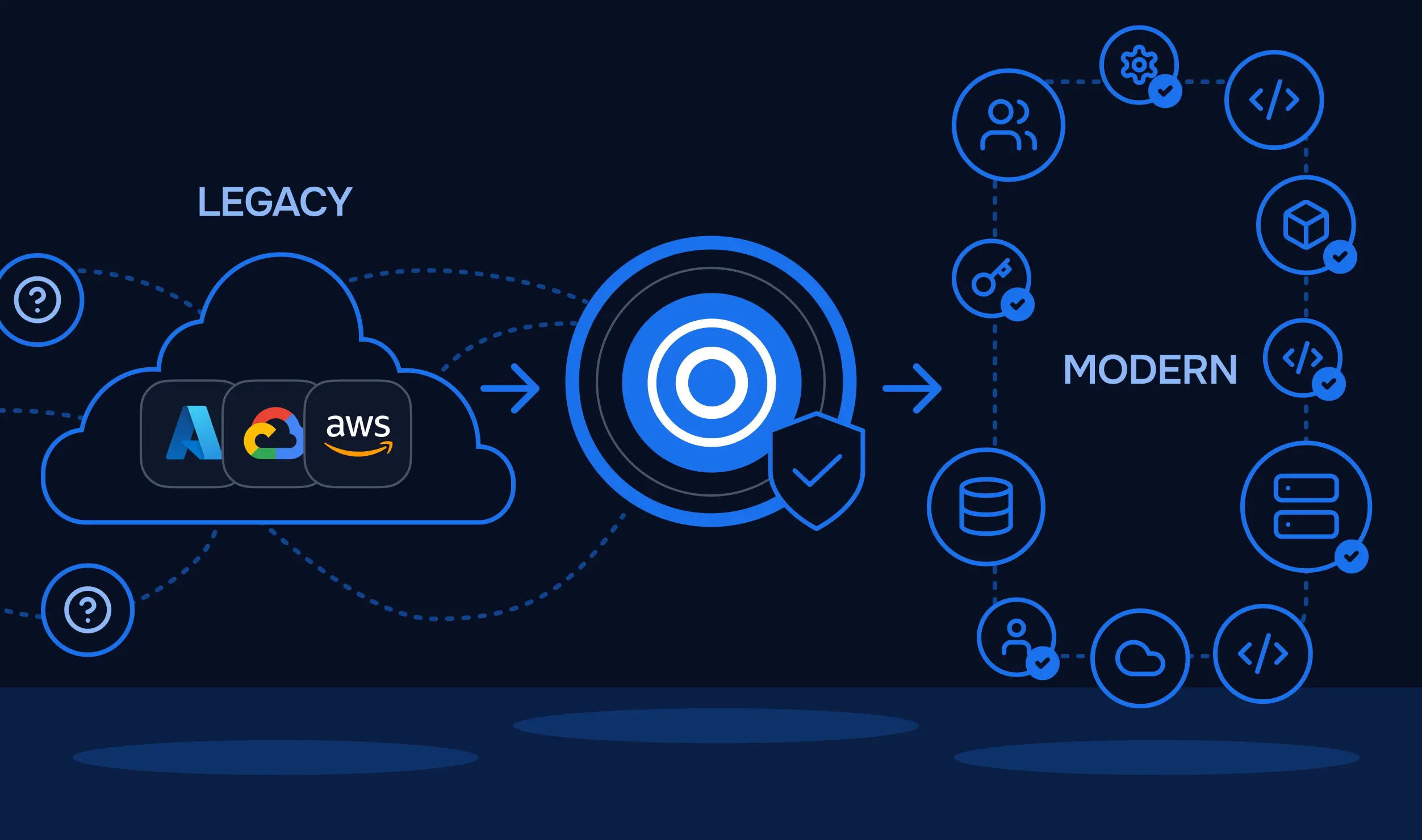
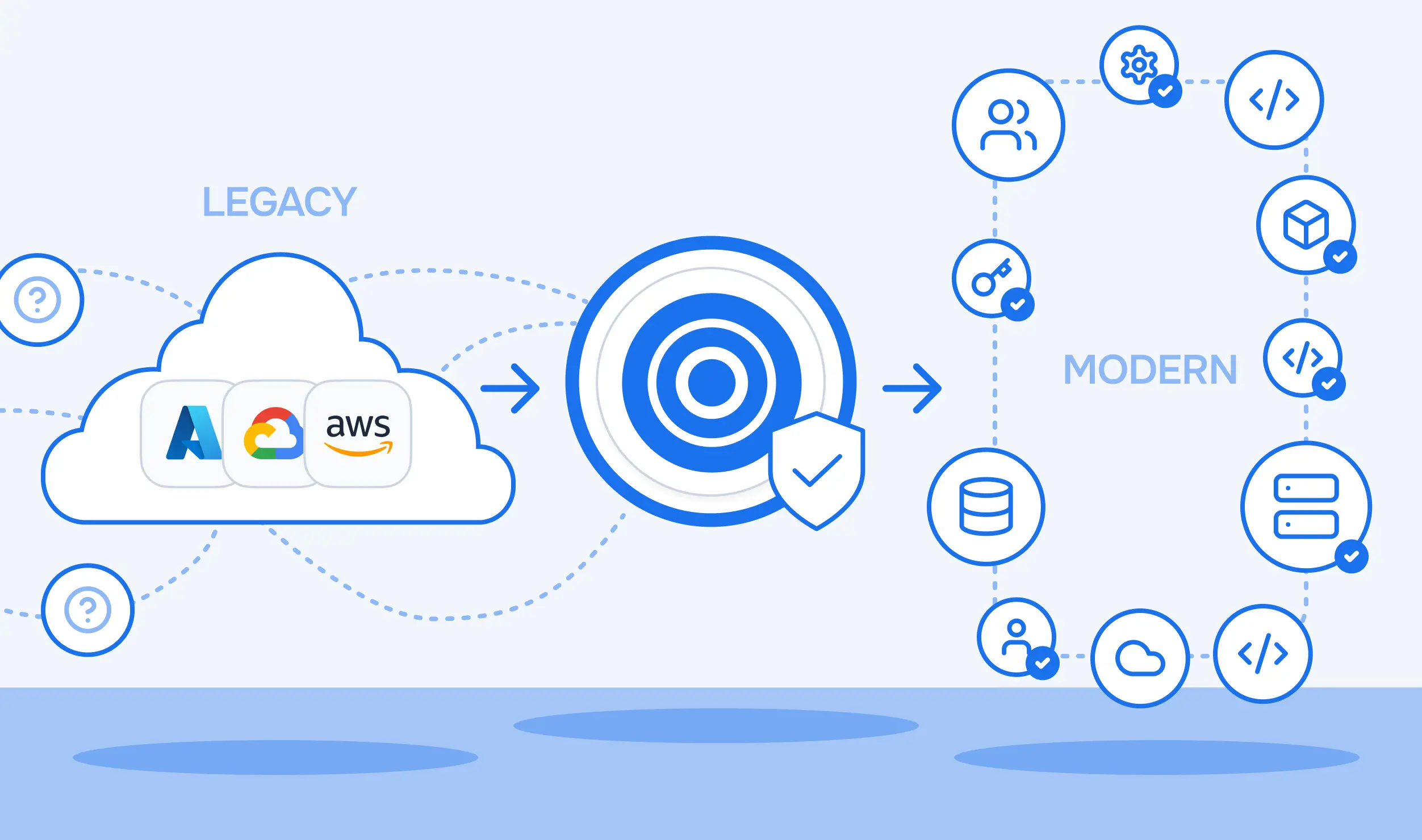
SGCode was built to solve the problem that terraform import leaves open, which is discovering infrastructure that no one has recorded yet. Where terraform import assumes a team already knows which resource ID needs importing, SGCode's Cloud Inventory starts a step earlier: it connects directly to AWS, Azure, and GCP accounts and discovers every resource across the environment, cross-referencing what it finds against connected state backends to determine what's already managed and what isn't. That cross-cloud reach doesn't depend on running a separate command per provider or per resource, the way accumulating individual import blocks does.
Once SGCode identifies unmanaged infrastructure, its AI-powered codification step goes further than generating a resource block for a human to paste in. It generates Terraform or OpenTofu configuration for the selected resources, accounting for the relationships between them, in a Code Workbench where engineers can review and edit it. Before delivering the code, SGCode runs an internal plan and regenerates the code if that plan finds errors. Engineers can also run a test plan to check policy results before anything is pushed. The result is published as a pull request, which addresses the review-and-correct burden that generated configuration from -generate-config-out still leaves on a person's plate: a reviewer sees a proposed PR that has already passed an internal plan check.
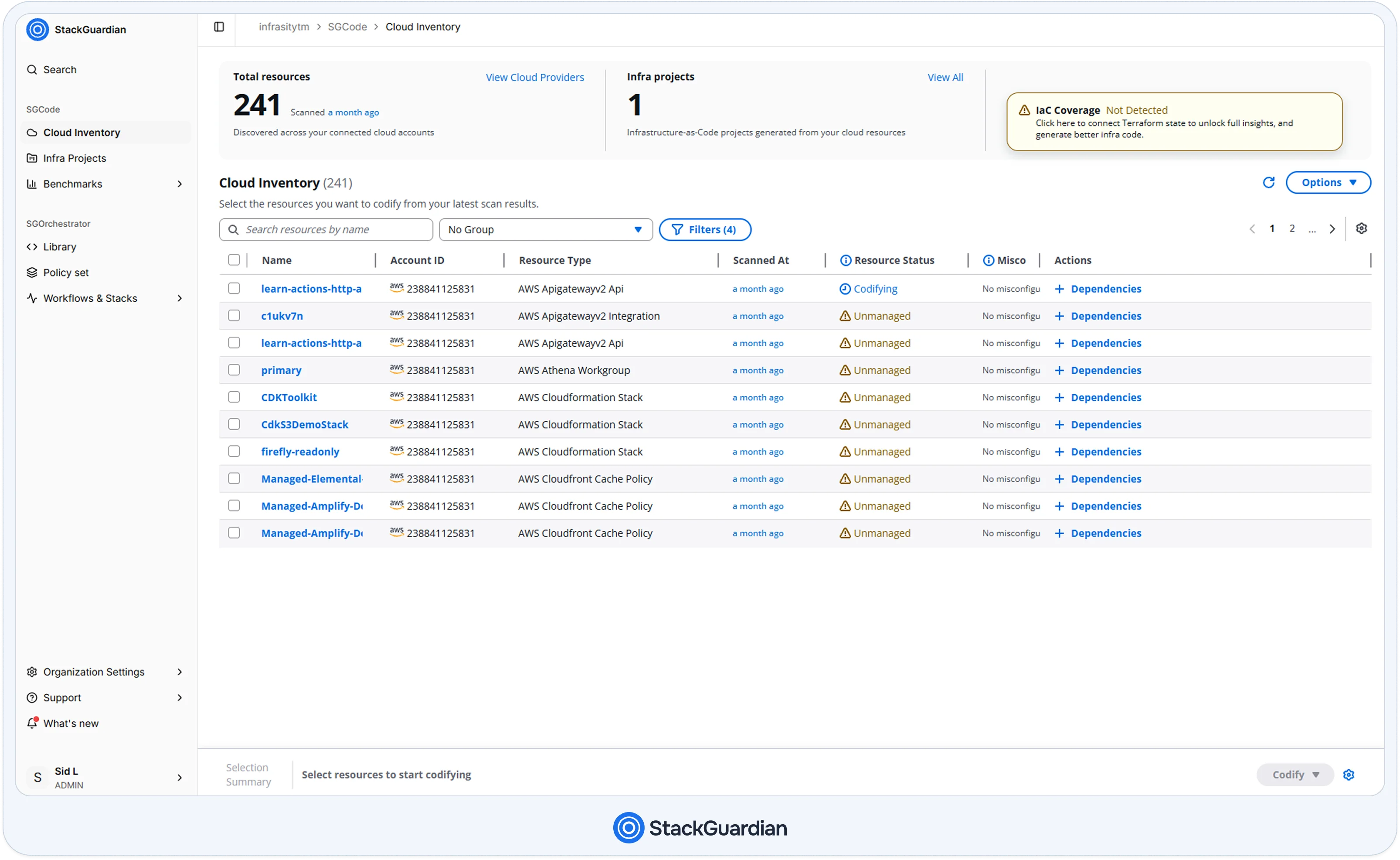
That PR doesn't land in a repository unguarded, either. Once the codified configuration is merged into a Workflow that has Policy Sets attached, the attached policies apply to the resulting runs the same way they apply to any other change. That holds for policies written in Tirith and for policies written in OPA. A Tirith policy scoped to the target Workflow Group, for example, can require that any encryption configuration on a newly codified S3 bucket uses KMS:
{
  "meta": {
    "required_provider": "stackguardian/terraform_plan",
    "version": "v1"
  },
  "evaluators": [
    {
      "id": "require-s3-encryption",
      "description": "Newly codified S3 buckets must use KMS server-side encryption",
      "provider_args": {
        "operation_type": "attribute",
        "terraform_resource_type": "aws_s3_bucket_server_side_encryption_configuration",
        "terraform_resource_attribute": "rule.0.apply_server_side_encryption_by_default.0.sse_algorithm"
      },
      "condition": { "type": "Equals",
        "value": "aws:kms",
        "error_tolerance": 1 }
    }
  ],
  "eval_expression": "require-s3-encryption"
}
This rule checks encryption resources that exist in the plan. A bucket with no encryption resource at all would not trigger it, so a real baseline pairs it with a second check that every aws_s3_bucket has a matching encryption configuration.
Brownfield resources can easily predate an organization's current security baseline, since they were provisioned before that baseline existed. Bringing them under management through SGCode's PR flow means they pass through the same Configuration Rules as anything else the moment they're codified, rather than getting a quiet pass because they predate the policy.
None of this makes terraform import redundant for the case it's actually good at. A scoped, already-identified resource is often faster to bring in with a direct import block than to wait on a broader discovery pass. But for the harder version of the problem, where a team doesn't yet know what infrastructure exists, SGCode works at a different layer entirely: a real-time inventory of connected accounts with IaC coverage shown as the percentage of resources managed as code, rather than a one-off CLI operation run against a resource ID someone already had in hand.
Terraform Import and SGCode Together in Practice
These aren't competing approaches so much as tools suited to different starting points in the same underlying problem. A team that already knows about a handful of orphaned resources, whether found during an incident or left over from a decommissioned project, can reasonably reach for an import block and review the generated configuration directly. A team facing an entire pre-Terraform environment, or an acquired account with no documentation at all, needs the discovery step first, and that's where SGCode's Cloud Inventory does the work import was never designed to do.
A reasonable pattern in practice: use SGCode's discovery and codification to bring a large, unknown estate under management in the first place, opening PRs as it works through the backlog, then rely on scoped terraform import blocks for the occasional one-off resource that shows up afterward, such as a new orphaned object found during a routine audit, where the team already knows exactly what it's dealing with.
Where Should You Start With Terraform Import and SGCode
terraform import, in both its classic and block-based forms, solves the narrow problem of writing a resource's identity into state, and adding generated configuration in Terraform 1.5 meaningfully reduced the manual transcription work that used to follow. But it was never built to answer the harder question underneath most brownfield situations: what's actually out there in the first place. That gap, not the mechanics of writing state entries, is usually the real blocker for teams sitting on years of undocumented infrastructure.
For a handful of known resources, a direct import block reviewed carefully is still the fastest path. For an estate where the real unknown is what exists at all, SGCode's Cloud Inventory and AI-powered codification are built specifically for that discovery-first case, across every connected AWS, Azure, and GCP account, not just the one a person happens to be looking at. Explore how SGCode discovers and codifies unmanaged infrastructure, or read through what brownfield infrastructure actually looks like in practice for a deeper look at the problem.
FAQs
1. What does terraform import do to my state file?
It adds a single entry linking a resource address in your configuration to a real resource ID in the cloud. It makes no API calls that create, modify, or destroy the underlying resource, and it only changes Terraform's own record of what it's managing.
2. Does terraform import write Terraform configuration automatically?
No, the classic CLI command doesn't write configuration. It requires a resource block to already exist and leaves writing accurate attributes to the person running the import. Import blocks paired with the -generate-config-out flag, added in Terraform 1.5, do generate a draft configuration file, but it still needs manual review before it's trustworthy.
3. What's the difference between terraform import and an import block?
The classic command is a one-off CLI operation that runs immediately and only touches state. An import block is declarative, written in .tf configuration, evaluated during a plan, and can be paired with configuration generation, making it reviewable and repeatable in a way the CLI command isn't.
4. Can terraform import handle bulk or unknown infrastructure discovery?
No. Both forms of import require already knowing a resource's type and ID before anything runs. Neither searches a cloud account for untracked resources. That's a separate discovery problem, which tools like StackGuardian's SGCode are built to address.
5. Is terraform import safe to run in production?
Yes, with a caveat. It never modifies the underlying resource, but the risk sits downstream: if the resulting configuration doesn't exactly match what got imported, the next plan can propose an unintended change or even a destroy-and-recreate. Reviewing the plan carefully immediately after any import, generated or hand-written, is the step that actually prevents production impact.
Last updated
October 27, 2026
Published
October 27, 2026
Share article
Type
Articles
Topics
Import
Strategy
Integrations
Terraform